

Bookings
Chalet Booking
Guests choose a date and group size, compare private chalets and review visit details through the app and website. Owners review cleaning and inspection evidence in their mobile workspace, while the operations dashboard brings bookings, readiness and payment status together.
Guest booking and daily operationsMobile · Web · Admin
Key screens
The product experience in 6 key screens.
01 / 06
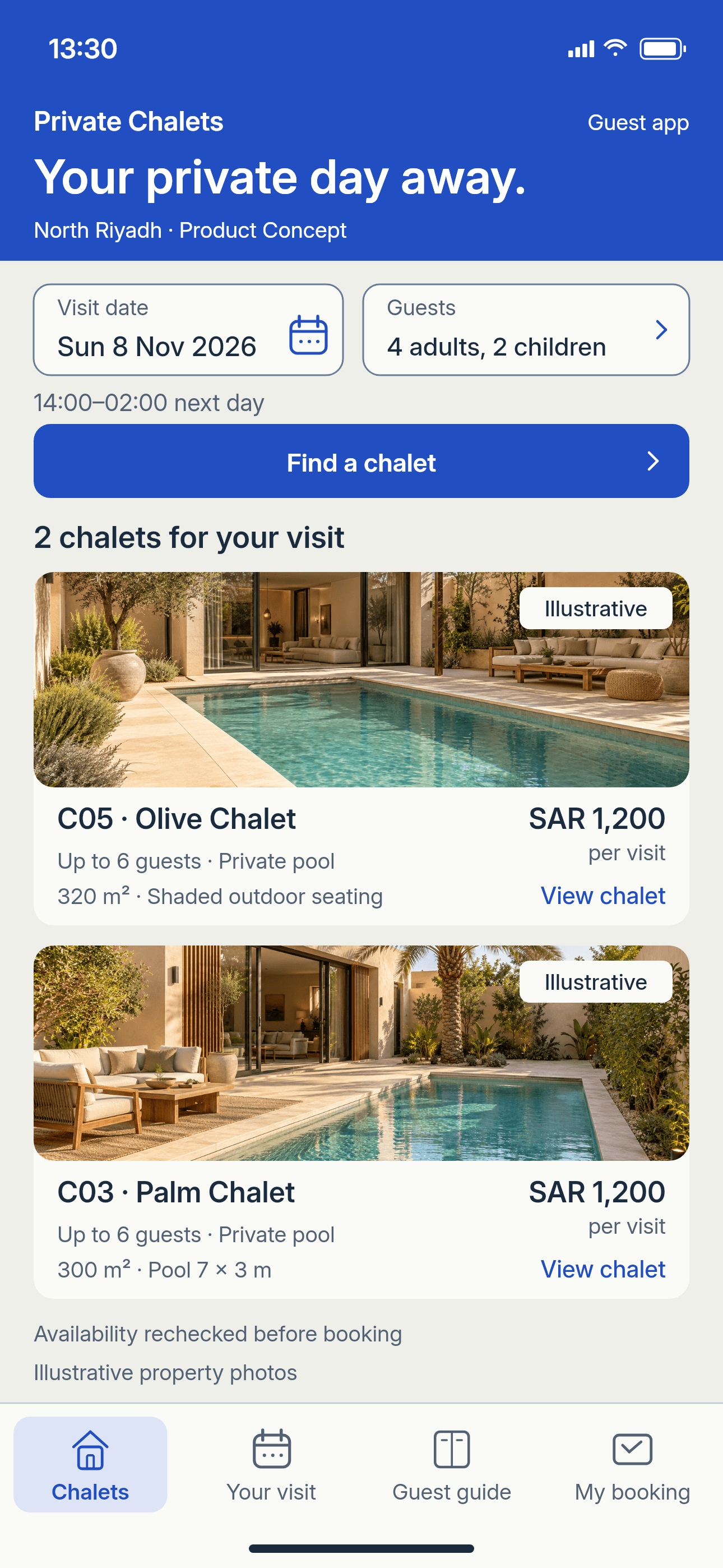
Explore chalets
Guest · Choose a chalet · Mobile
Guests choose a date and group size, then compare chalets by photos, capacity, amenities and price. They can open the details for the chalet that looks like the best fit for their group.
02 / 06
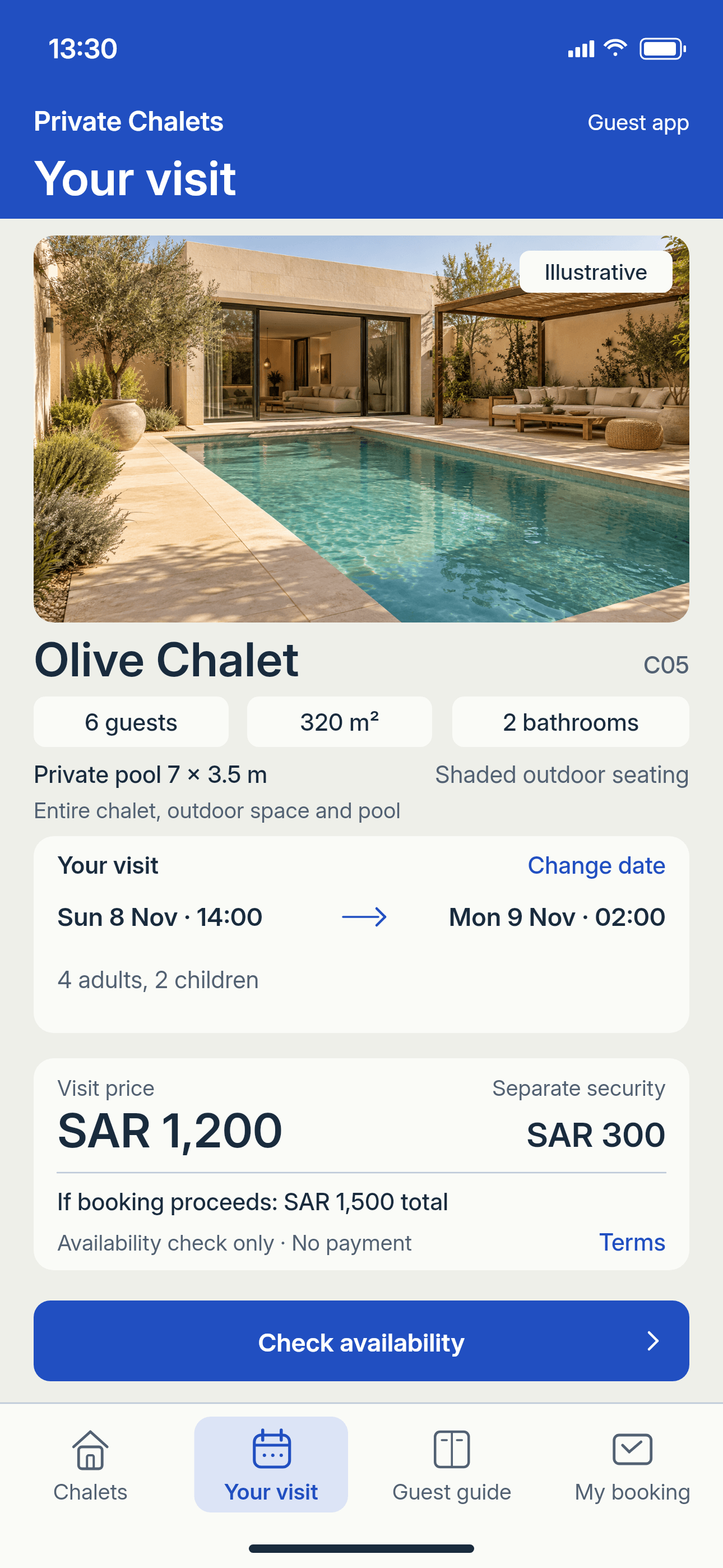
Plan your stay
Guest · Mobile
Guests review check-in and checkout times and see the price of the stay and the security deposit separately. If the timing and cost work for them, they can check availability before paying.
03 / 06
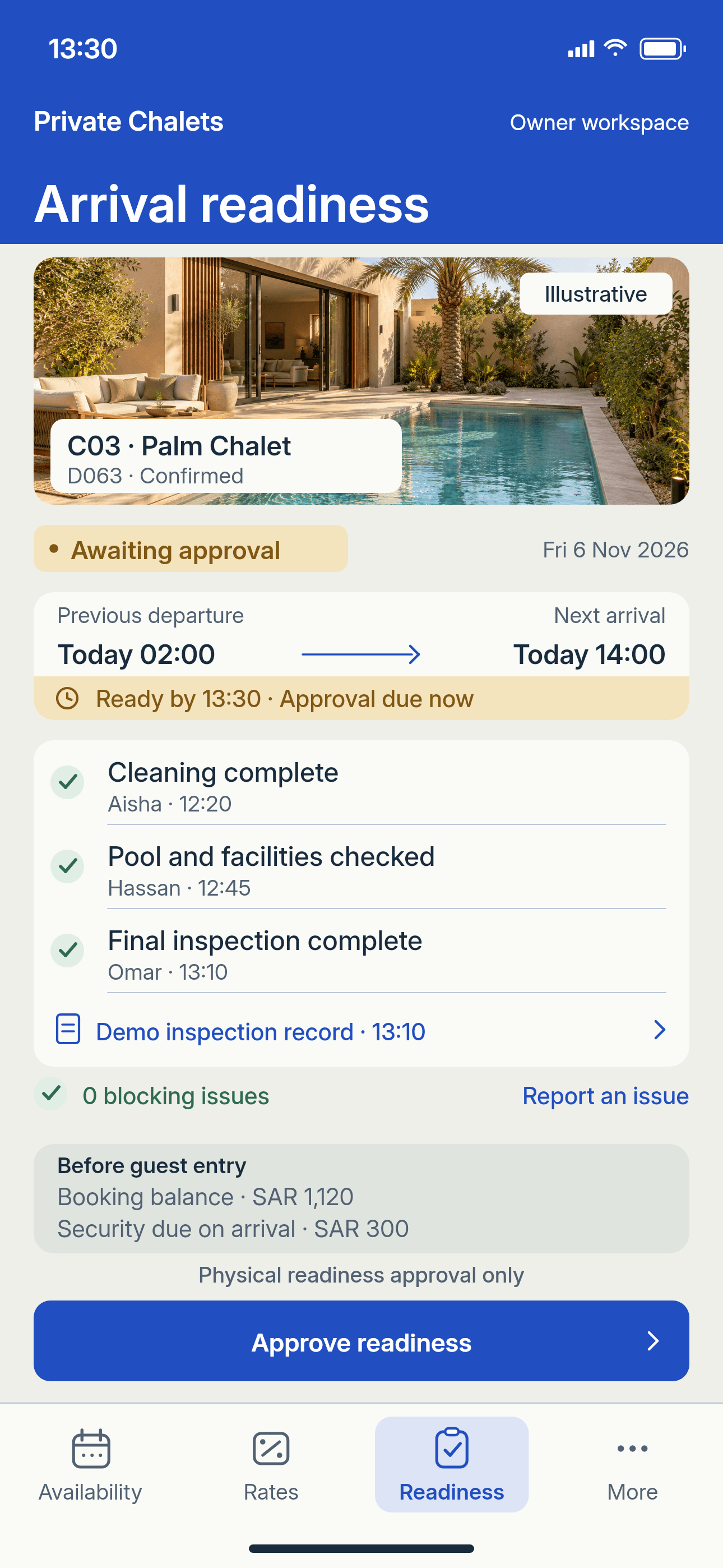
Mark a chalet ready on mobile
Owner / Operations · Mobile
Before guests arrive, you can review cleaning, pool and facility checks from your phone and mark the chalet ready. You can also see the remaining booking balance and the deposit due on arrival.
04 / 06
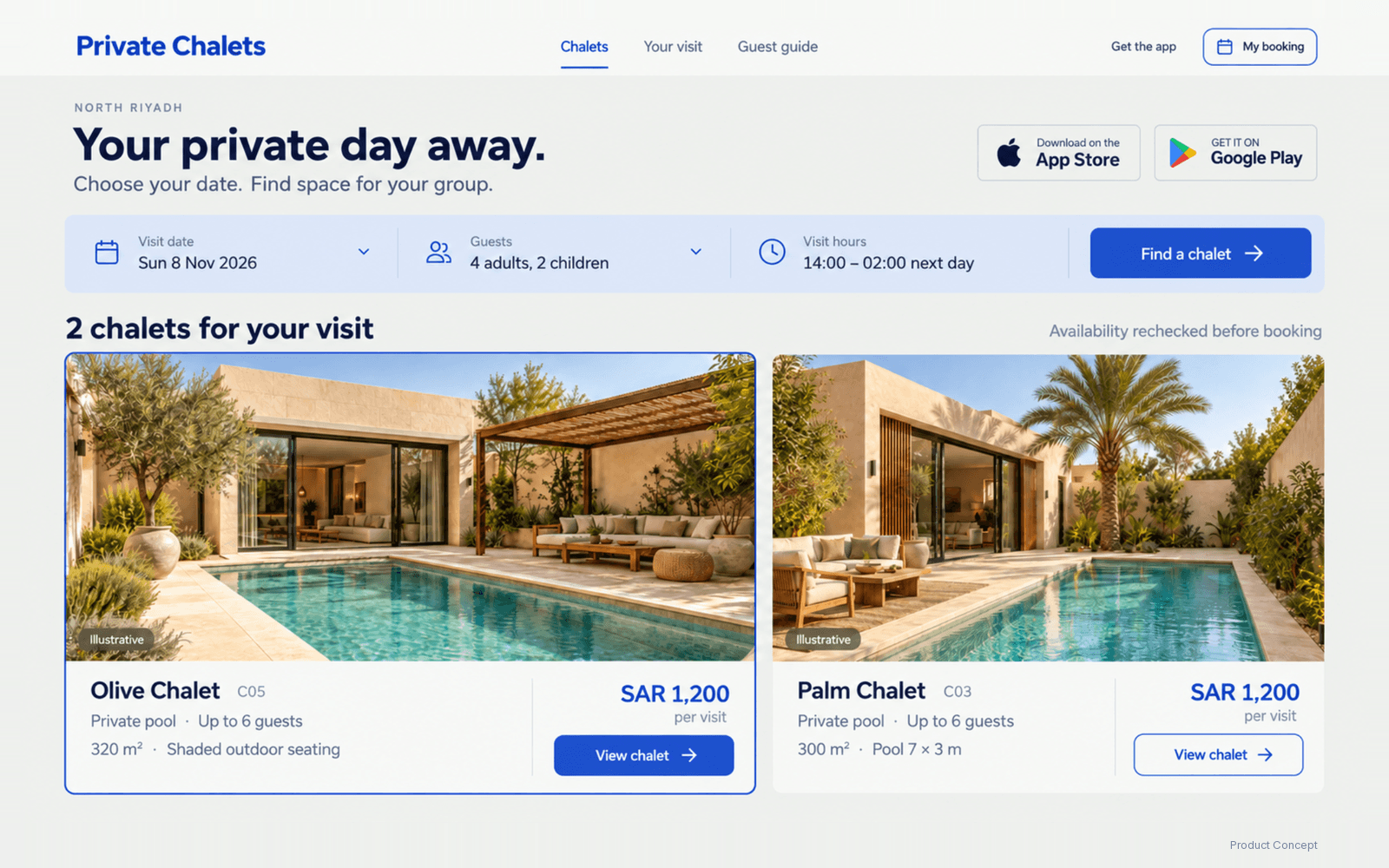
Choose a chalet
Guest · Web
Guests enter their date and group size to see chalets that fit the visit. They can compare capacity, amenities and the price for the stay before opening a chalet’s details.
05 / 06
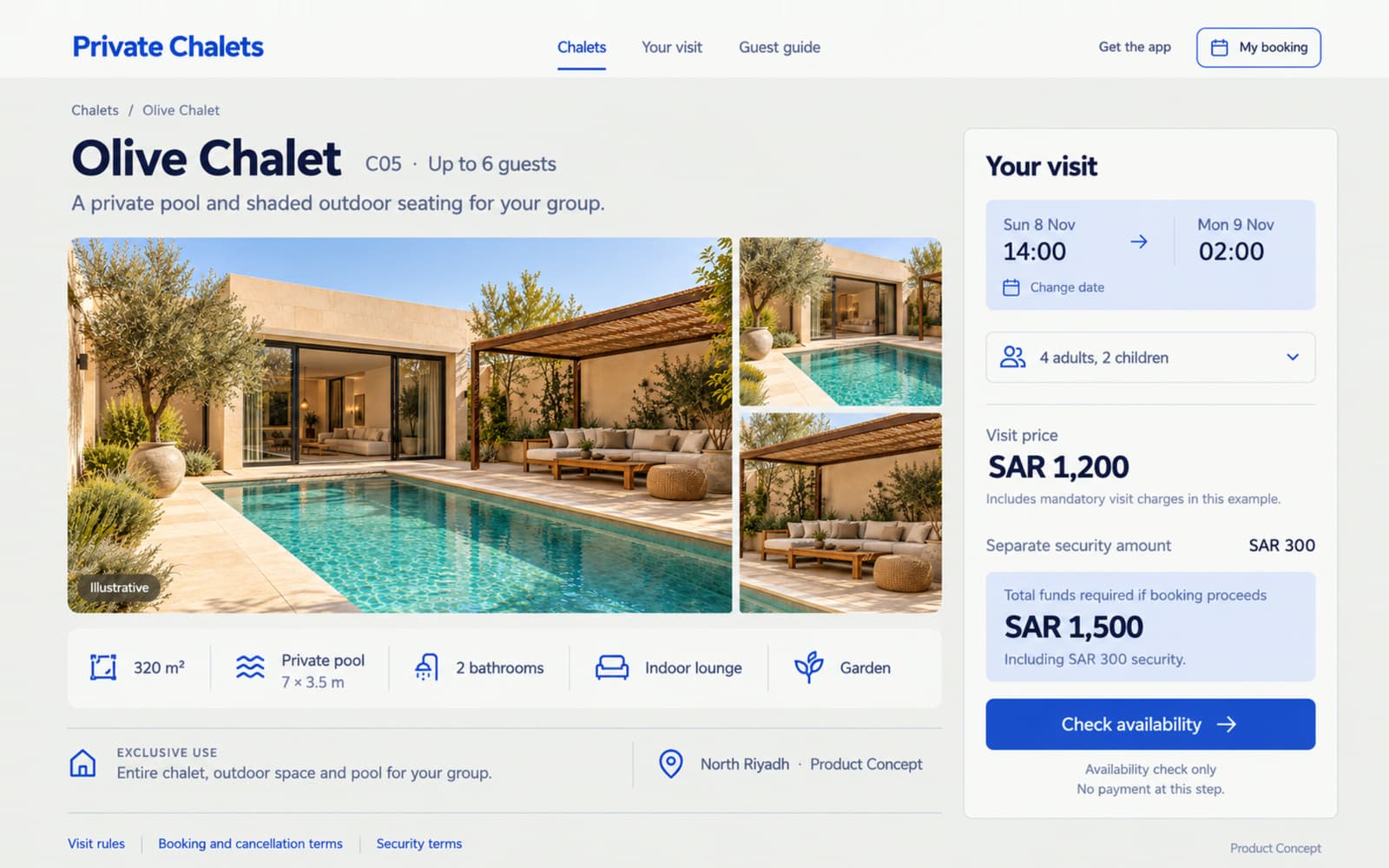
Chalet details
Guest · Web
Guests can see photos of the chalet, pool and seating areas and review visit times and capacity. They see the stay price, deposit and total due before checking availability for their chosen date.
06 / 06
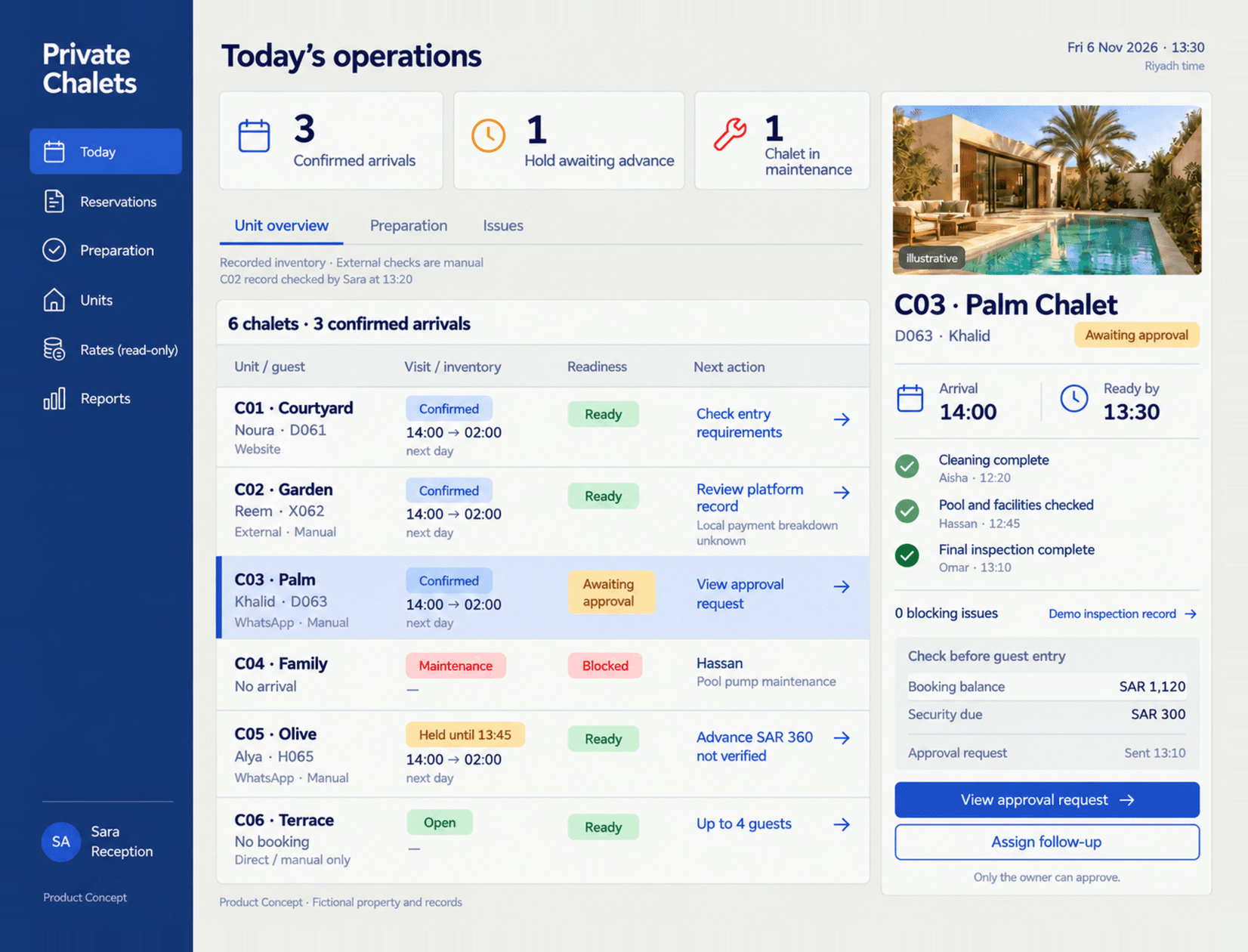
Today’s guest arrivals
Operations team · Admin · Tablet
Your team can see today’s bookings, arrival times, chalet readiness and payment status. They can open a booking to check what still needs preparing or which payment needs a follow-up.
The business
Guests compare private chalets for their chosen visit dates and group size. Owners review readiness evidence, bookings and payment status separately.
- The problem
- An available visit, a confirmed booking and a physically ready chalet are different states. Guests also need the visit price and security amount separated.
- Why a custom product
- The design connects guest selection with operational readiness while keeping inventory, approval and payment information separate.
Who uses it
Website guest
Web
Choose a visit date and group size, compare chalets and review their facilities and visit details.
Operations manager
Admin
Review bookings, chalet readiness and payment status in the operations dashboard.
App guest
Mobile
Compare chalet options and review the visit time, guest count and separate security deposit.
Owner on mobile
Mobile
Review cleaning and inspection evidence and approve arrival readiness after the checks.
Business rules
Separate readiness from confirmation
Completed checks still require the authorized readiness approval. That approval does not settle a booking balance.
Separate the visit price and security
Show the visit price separately from the security deposit. Checking availability does not create a payment or confirm a booking.
Design coverage
Shown in these screens
- Mobile experiences: guests compare chalets and plan visits; owners review cleaning and inspection evidence before approving readiness.
- Customer website: choose dates and group size, compare chalets and facilities, review visit details and find the app download.
- Operations dashboard: review daily bookings, arrival readiness, outstanding amounts and the next action for each chalet.