

Food & Beverage
Healthy Meal Plans
Customers choose a subscription plan on the website, then use the app to plan delivery days, select meal components and follow their remaining credit. The kitchen dashboard organizes preparation around the choices saved before the editing deadline.
Weekly planning and kitchen productionMobile · Web · Admin

Key screens
The product experience in 6 key screens.
01 / 06
Weekly meals and deliveries
Subscriber · Mobile
Subscribers can see their meals for the week and the delivery status for each day. On days that are still open for changes, they can swap lunch or dinner before the cutoff.
02 / 06
Build your meal
Subscriber · Mobile
Subscribers choose a protein, side, vegetables and portion size. They can check the calories and nutrition before saving their choices for delivery.

03 / 06
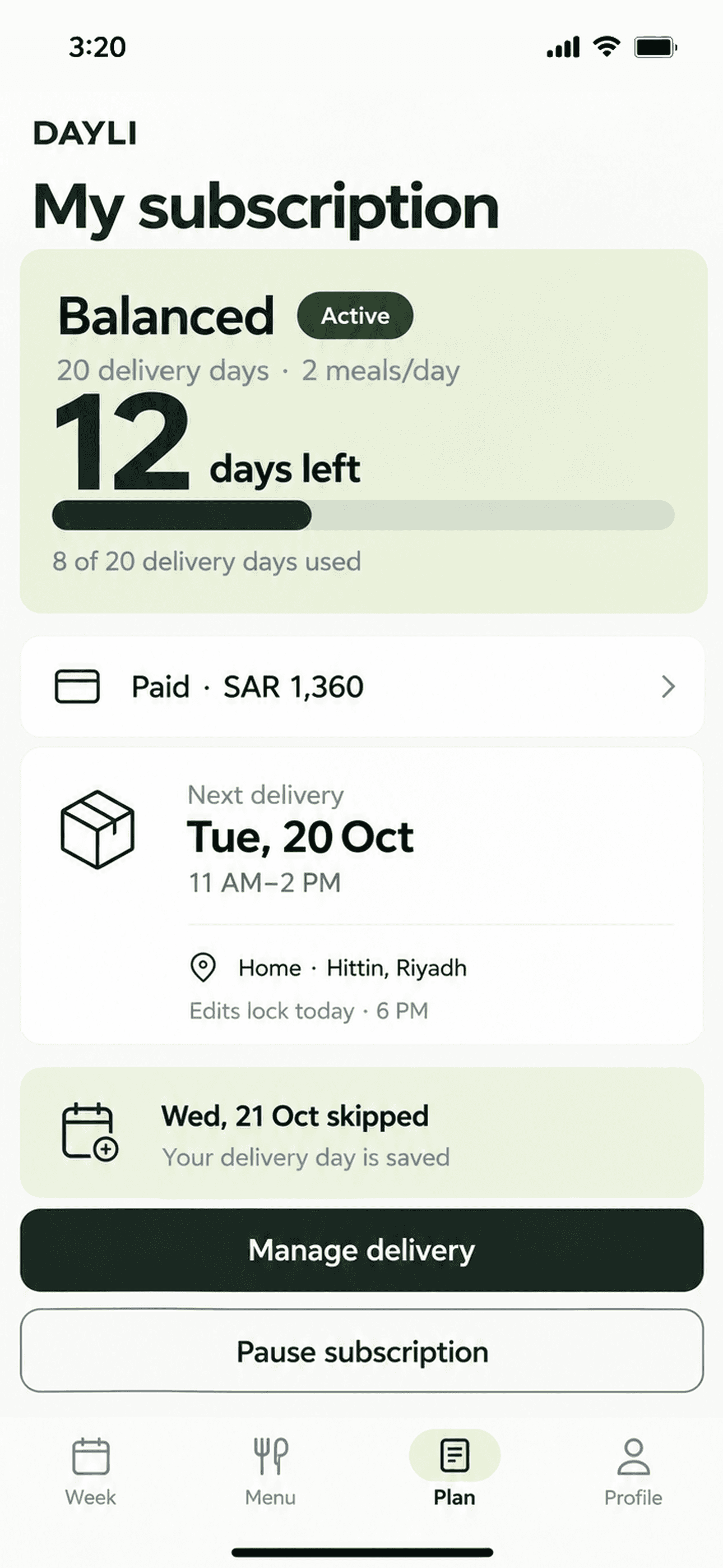
Manage your meal plan
Subscriber · Mobile
Subscribers can see how many delivery days they have left and when their next delivery is due. They can skip a day and use it later, manage deliveries or pause their plan from the same screen.
04 / 06
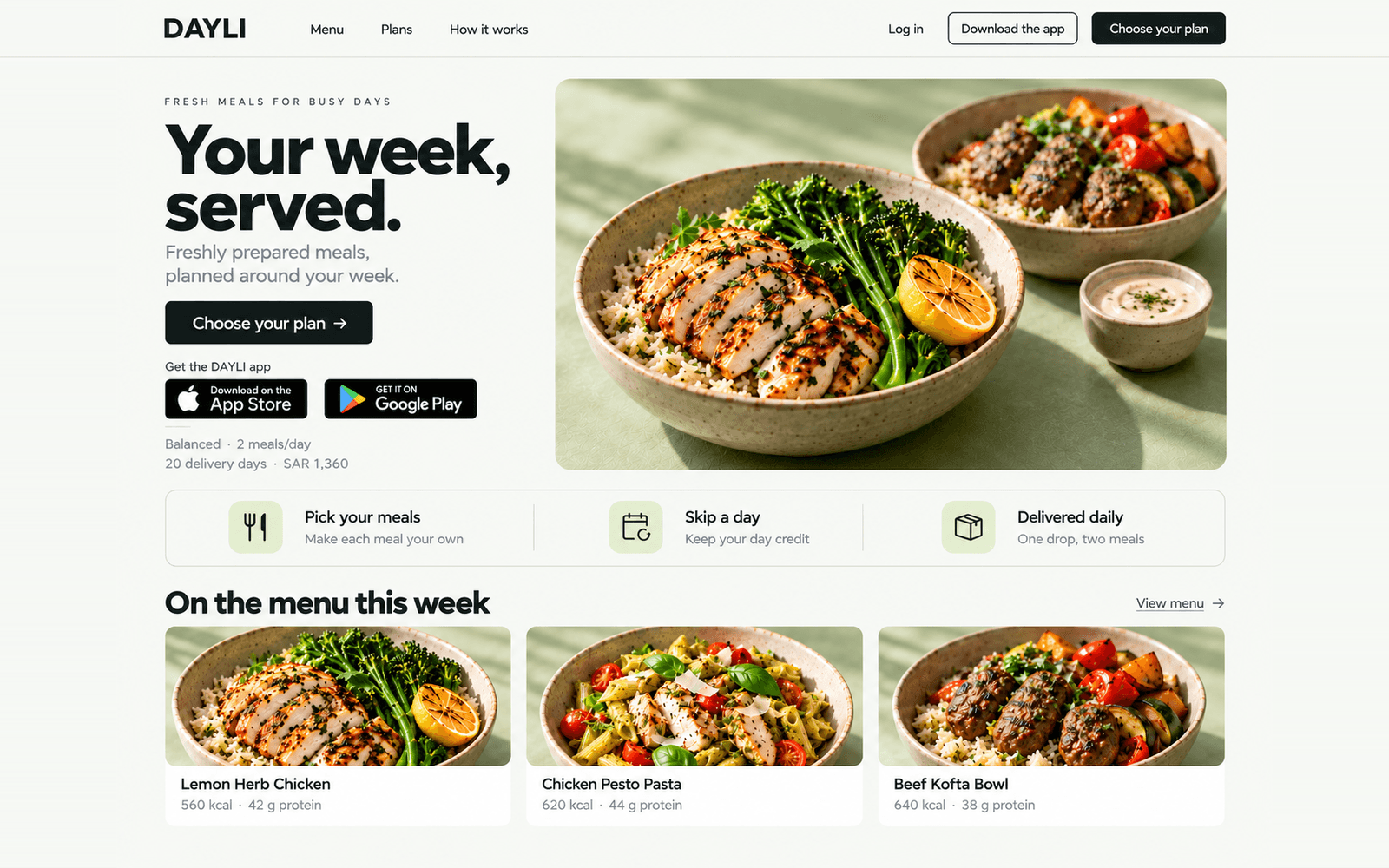
Explore meals and plans
Website visitor · Web
Customers can browse the week’s menu and see the calories and protein in each featured meal. They can see how meal selection and skipping delivery days work before choosing a plan.
05 / 06
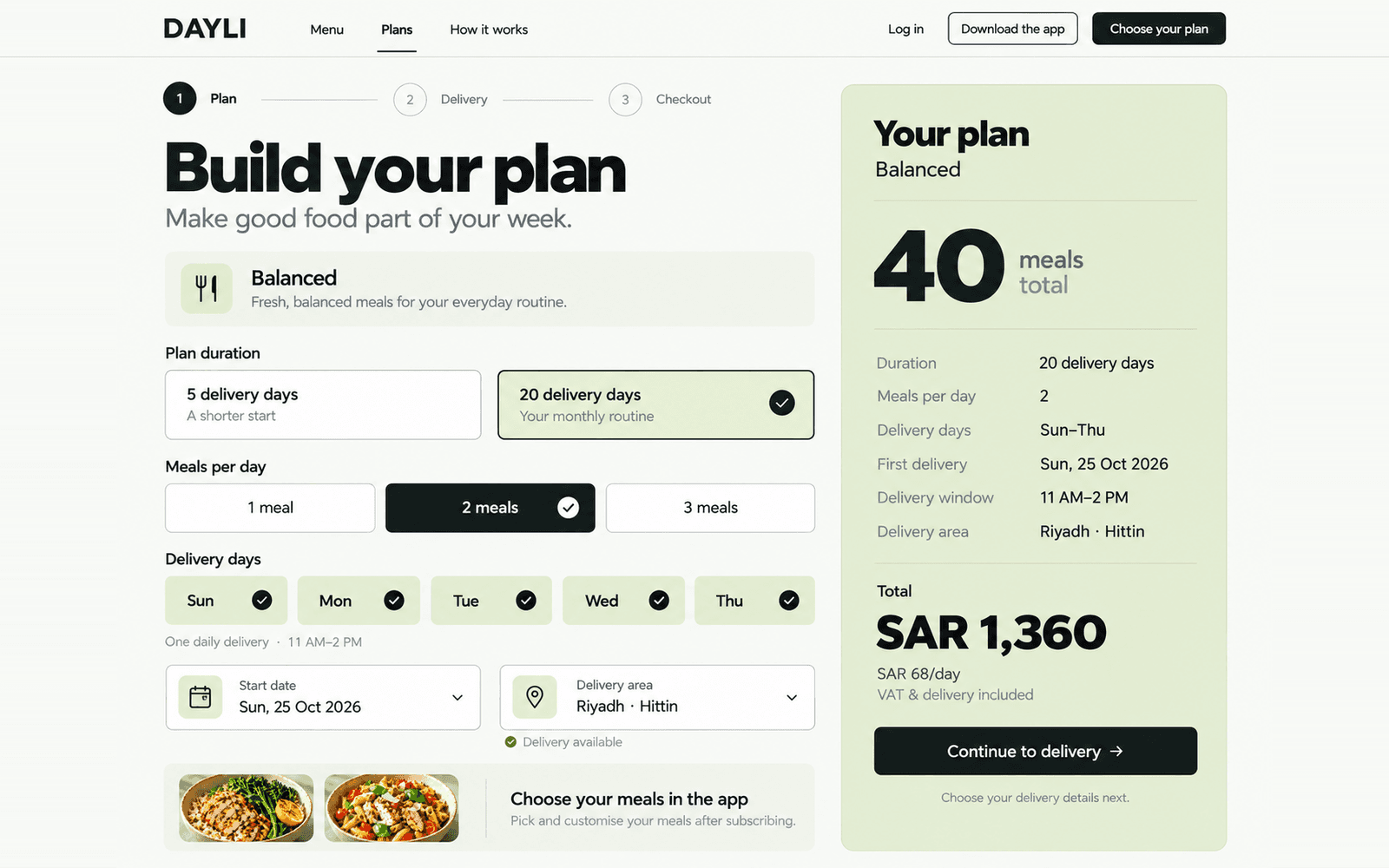
Customize a meal plan
Website visitor · Web
Customers choose the plan length, meals per day, delivery days and start date. They see the total number of meals and the plan price before entering their delivery details.
06 / 06
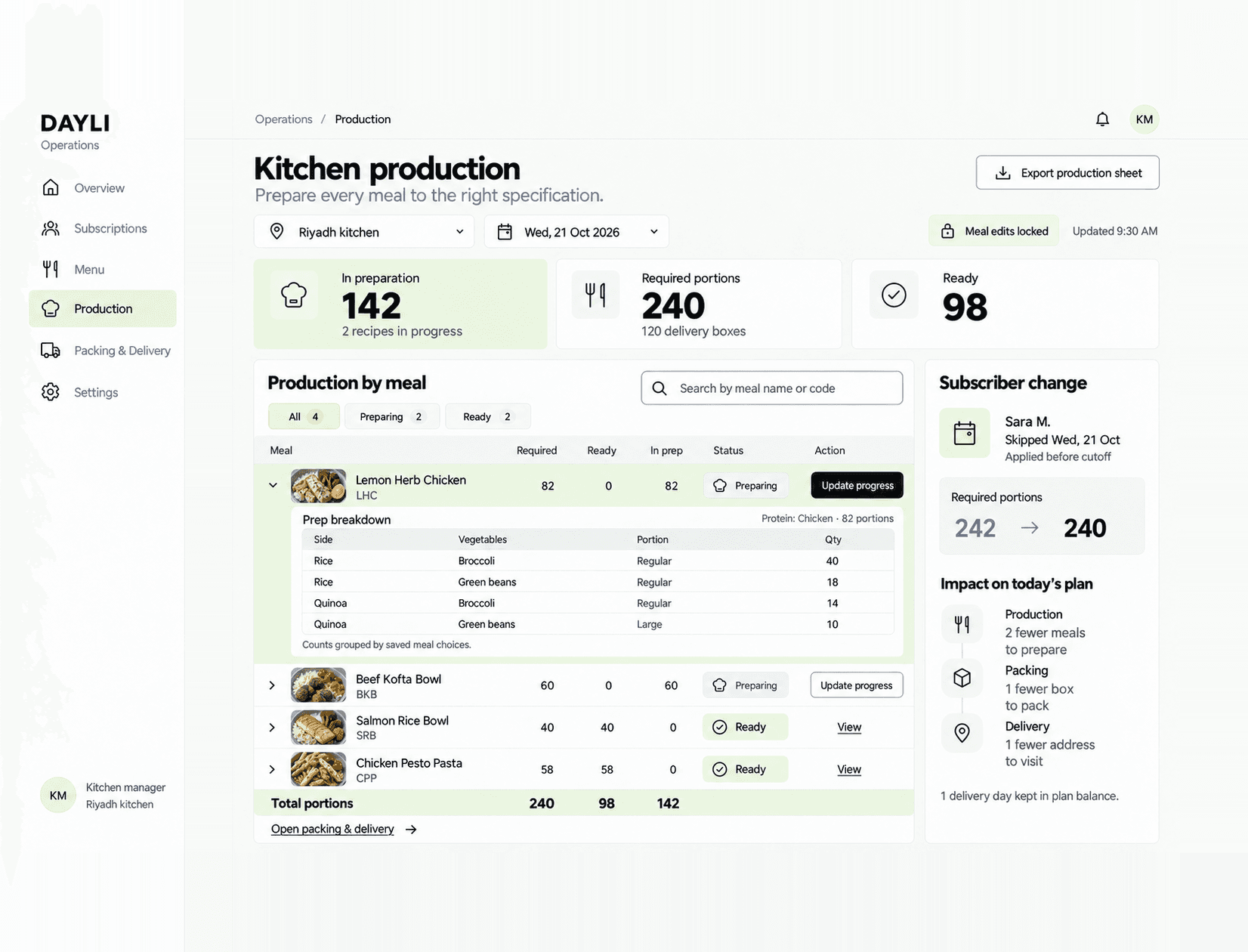
Kitchen prep schedule
Kitchen team · Tablet
Your kitchen team sees how many portions of each meal to prepare based on the choices finalized at the cutoff. They can check ingredient quantities and portion sizes, then update prep status so everyone knows what’s left.
The business
Customers choose a subscription on the website and plan their meals in the app. Kitchen staff turn saved meal and ingredient choices into preparation quantities for the day.
- The problem
- Customer meal choices must remain clear to the kitchen after the edit deadline; an unsaved choice must not change production quantities.
- Why a custom product
- The designs connect the subscriber’s planning and component choices with a separate kitchen preparation view.
Who uses it
Subscriber
Mobile
Plan meal days and select meal components.
Kitchen team
Admin
Prepare the saved meal quantities and configurations.
Website visitor
Web
Explore meals and configure the subscription duration, daily meals and delivery days.
Business rules
Saved choices guide preparation
Use the meal choices saved before the editing deadline to calculate kitchen preparation quantities.
A skipped day keeps its delivery credit
Keep the skipped delivery day in the subscription balance so the subscriber can see it alongside used and remaining days.
Design coverage
Shown in these screens
- Customer app: plan weekly deliveries, customize meal components and review subscription credit.
- Customer website: explore meals, choose a plan duration and daily meals, set delivery days and find the app download.
- Kitchen dashboard: turn saved choices into meal quantities and ingredient preparation groups.