

E-commerce
Fashion
Shoppers explore the collection, compare how an abaya fits and choose its color, size and length through the app and website. Styling tools bring the selected garment and accessories together, while the team reviews stock for each product option.
Product fit and stylingMobile · Web · Admin
Key screens
The product experience in 7 key screens.
01 / 07
Abaya details
Shopper · Mobile
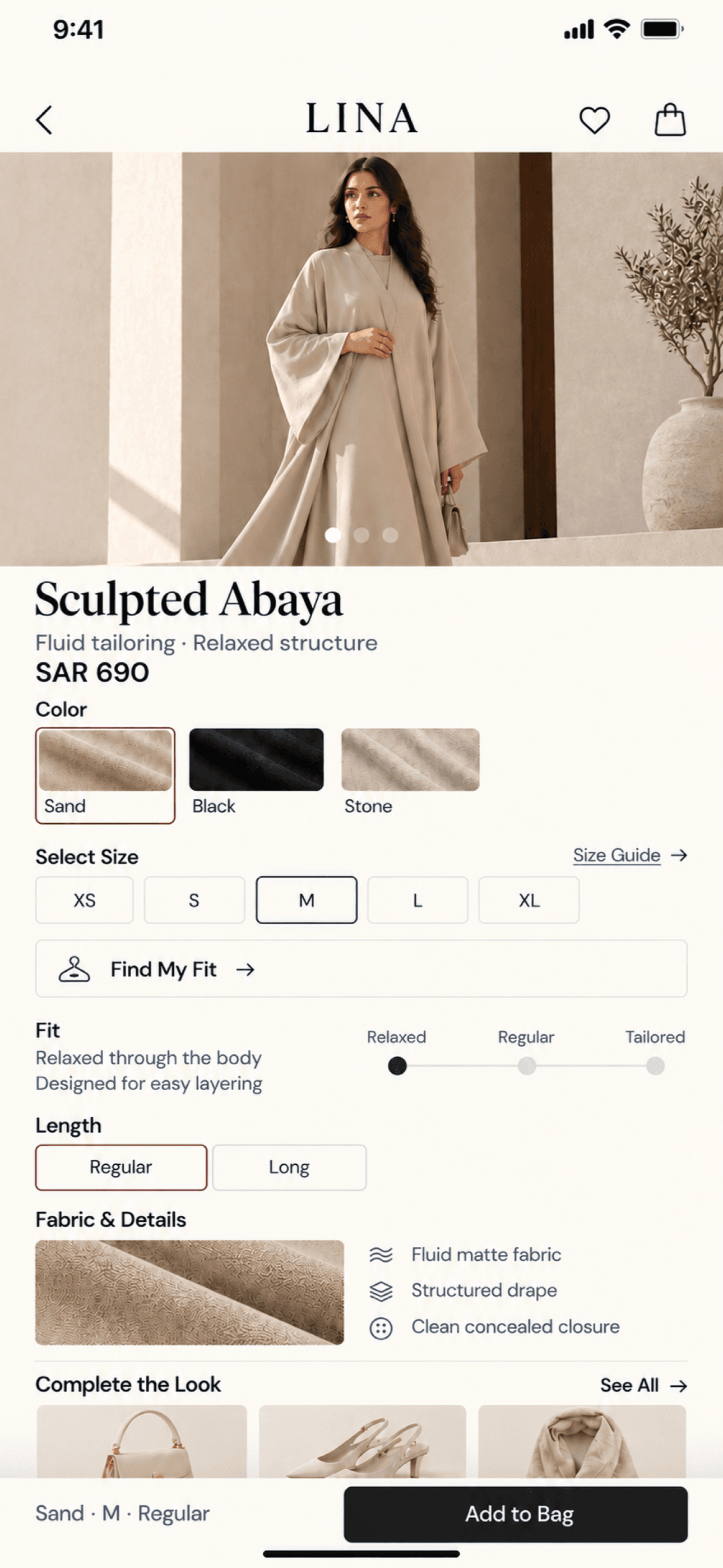
Shoppers can see how the abaya looks, read about the fabric, and choose the color, size and length on one page. If they’re between sizes, they can check the fit guide before adding it to their bag.
02 / 07
Abaya fit guide
Shopper · Mobile
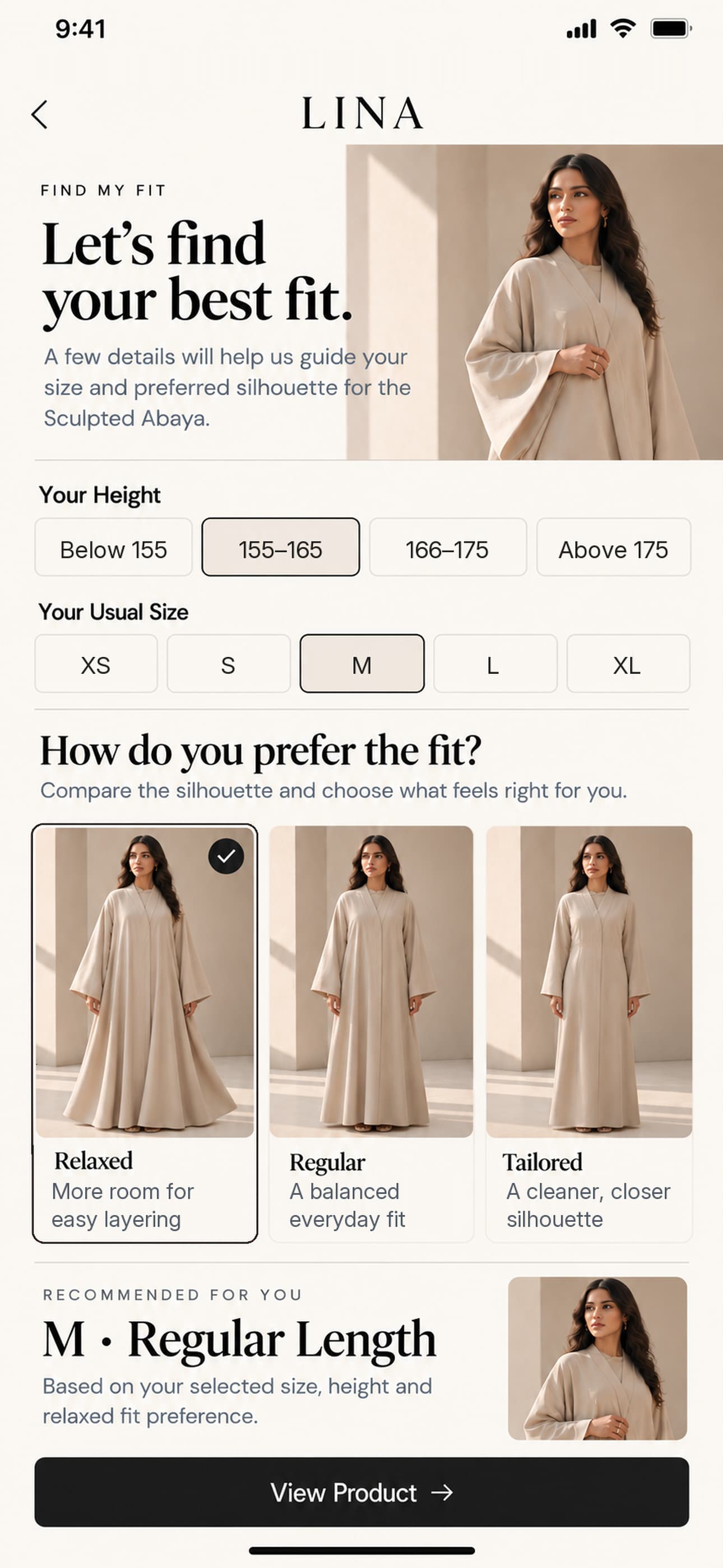
Shoppers enter their height and usual size, then compare photos of different cuts to find the fit they prefer. The app suggests an abaya size and length they can take back to the product page.
03 / 07
Build the look
Shopper · Mobile
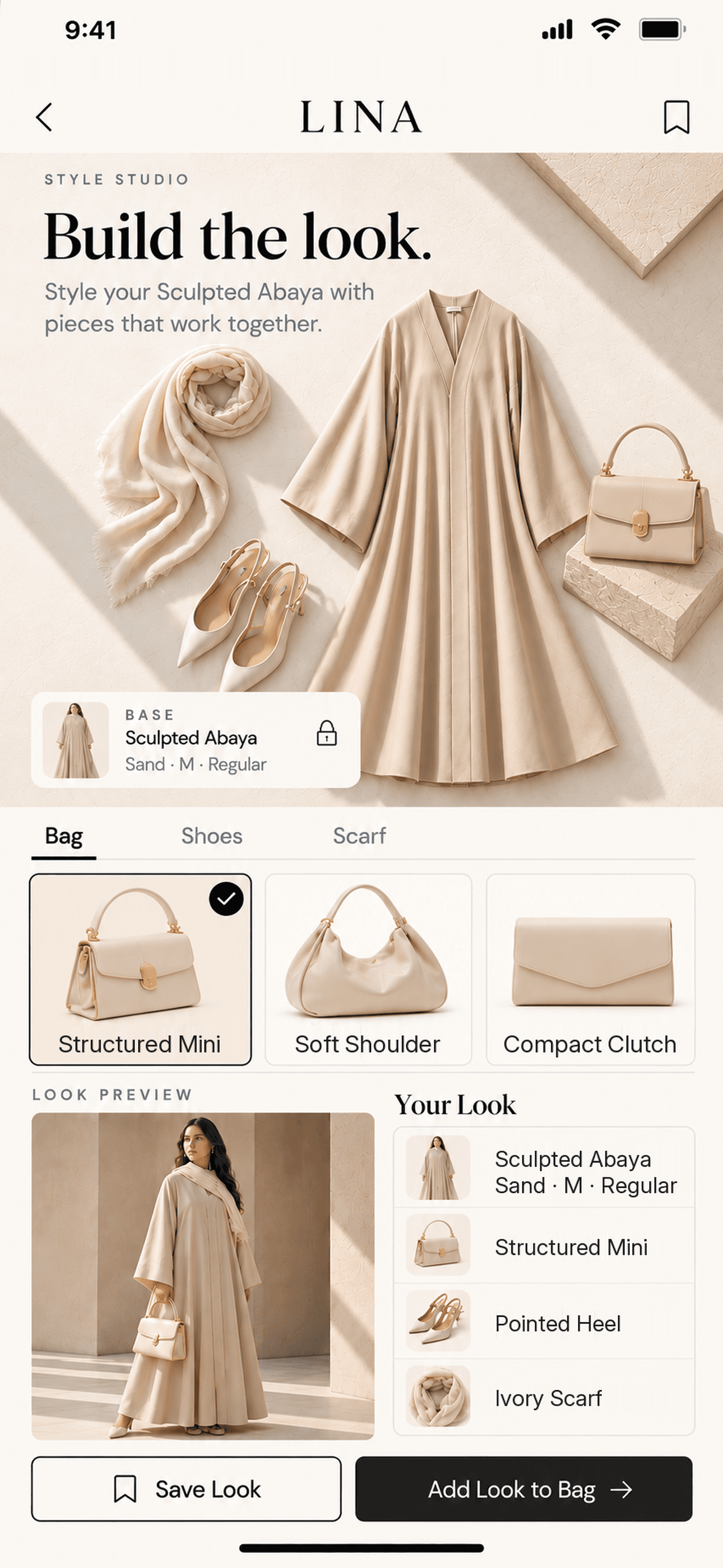
Shoppers can see how different bags, shoes and scarves go with the abaya. Once they find a combination they like, they can save it or add the whole look to their bag.
04 / 07
Fashion storefront
Shopper · Web
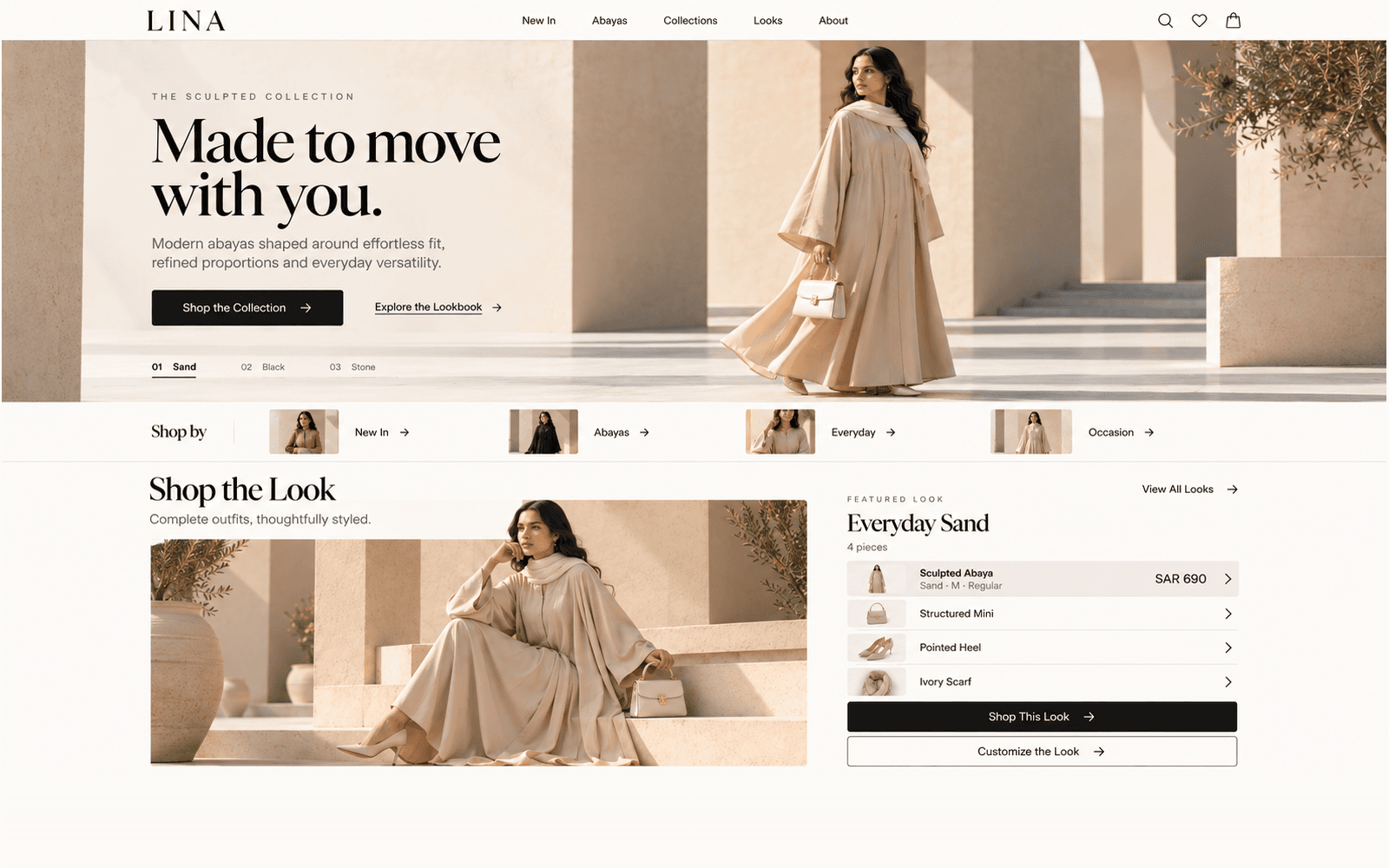
Shoppers see the abaya styled with a bag, shoes and a scarf. They can open any piece that catches their eye or change the accessories to make the look their own.
05 / 07
Abaya collection
Shopper · Web
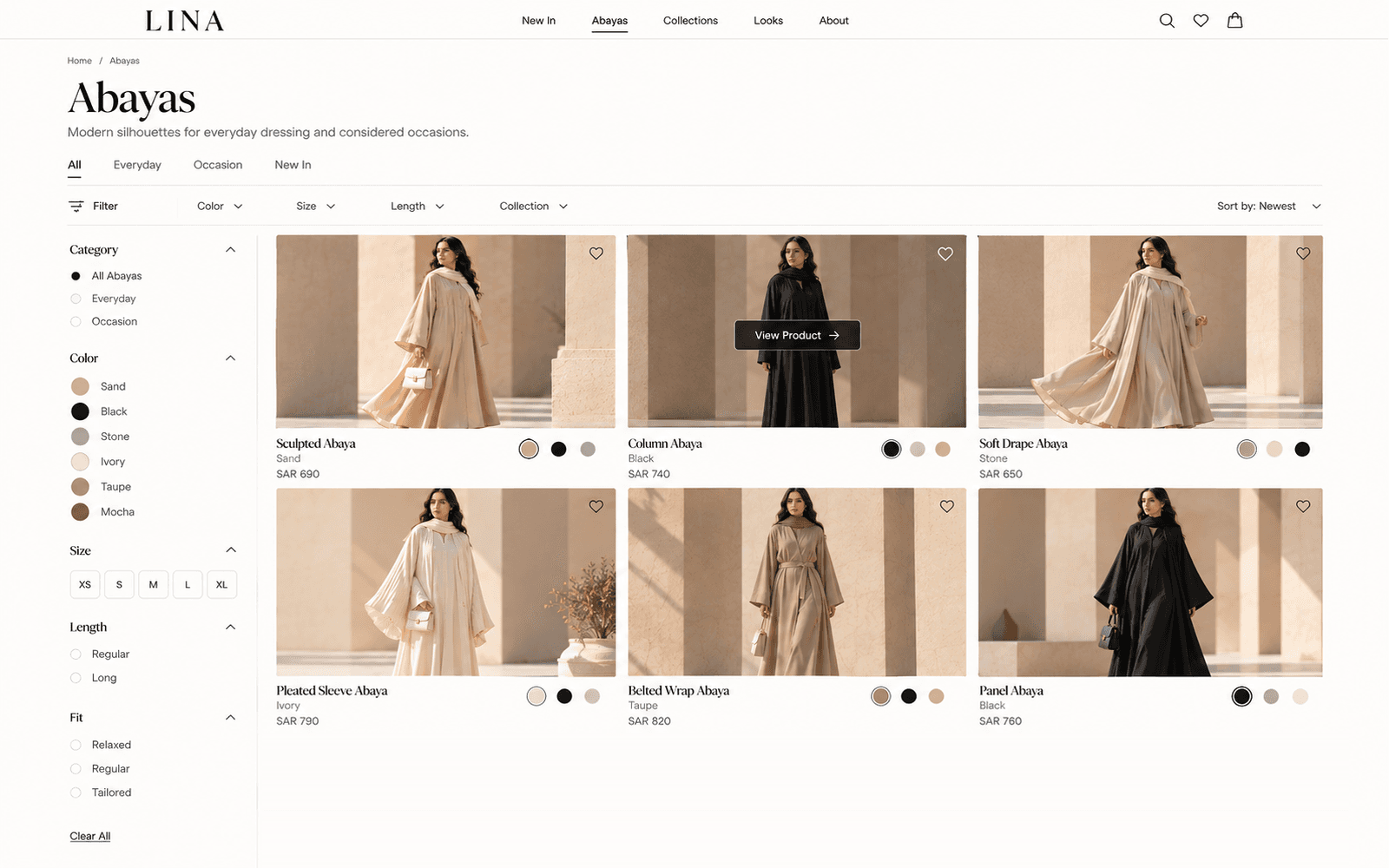
Shoppers filter the collection by color, size and length, then compare photos and prices before opening the abaya they like.
06 / 07
Abaya product page
Shopper · Web
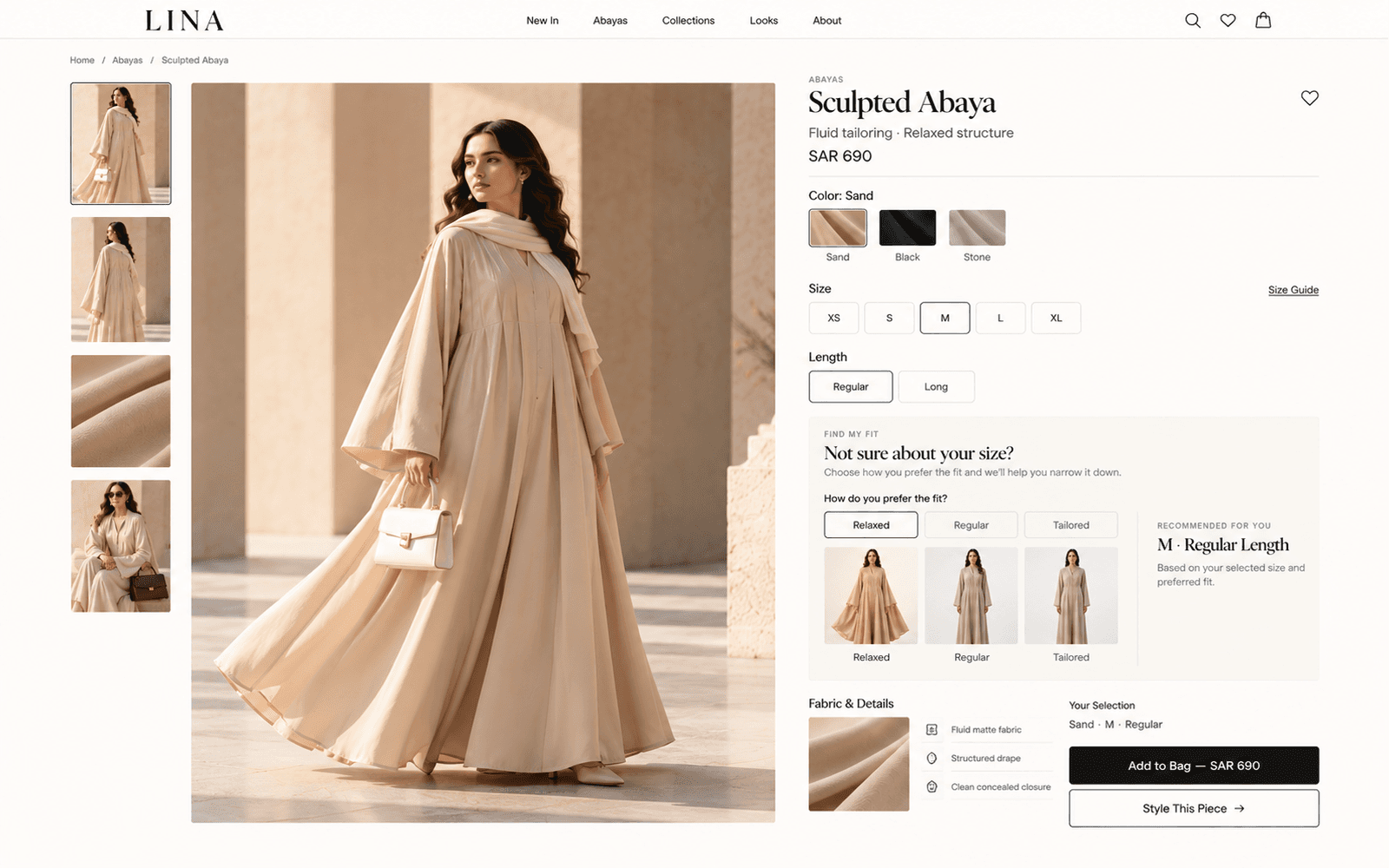
Shoppers can zoom in on photos, check the fabric and compare photos of different cuts. The page suggests a size and length so they can review their choice before adding the abaya to their bag.
07 / 07
Stock by color, size and length
Collection operator · Variant inventory · Tablet
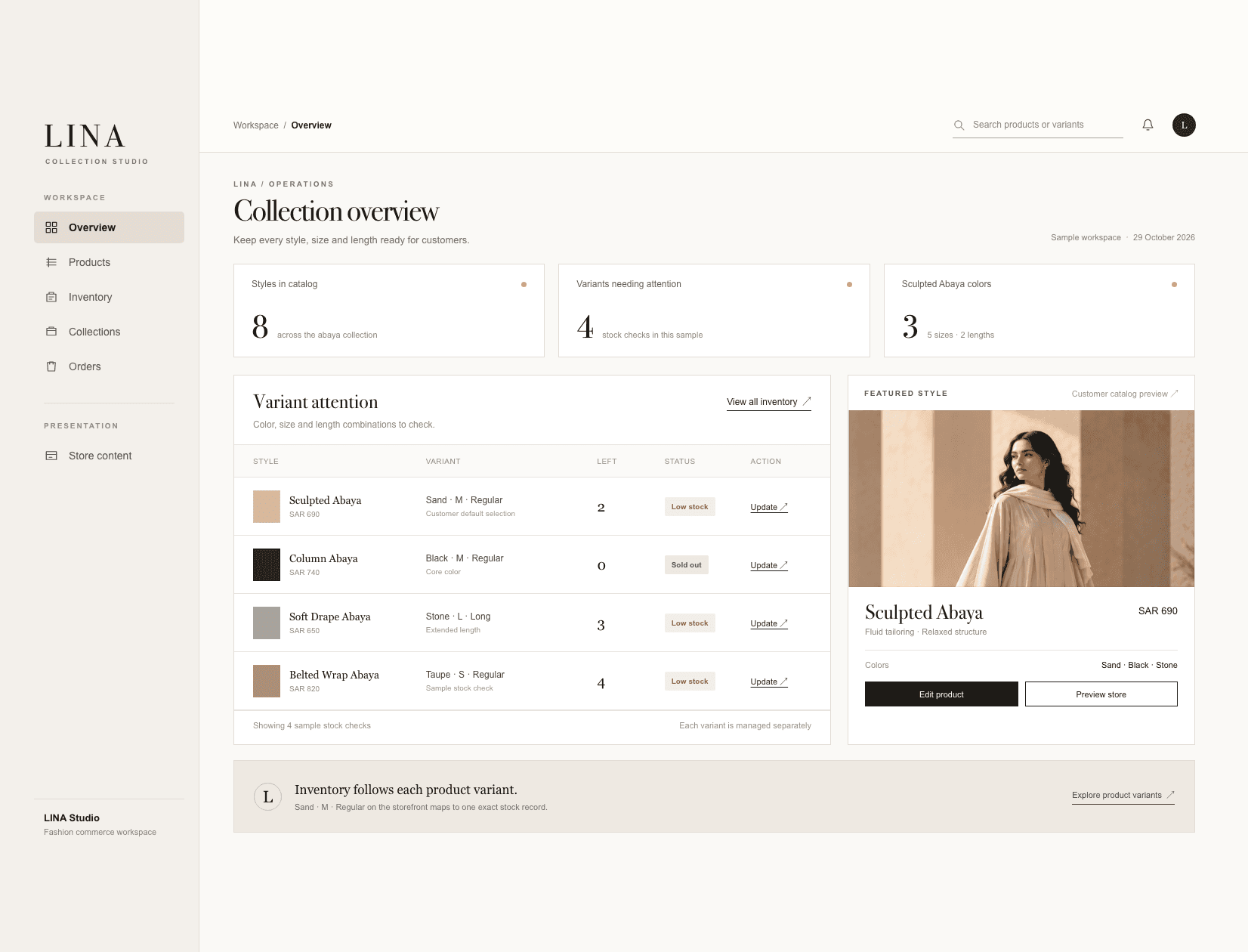
Your team can see stock for each combination of color, size and length. If only two sand abayas are left in medium and regular length, your team knows exactly which option to reorder.
The business
Shoppers compare how an abaya fits, choose its color, size and length, and create a coordinated look through the app and website. The team reviews the stock attached to each combination.
- The problem
- A product photograph alone does not explain how an abaya fits or distinguish its size from its length.
- Why a custom product
- The design connects visual fit comparison, separate variant controls and styling choices with a consistent product selection.
Who uses it
Shopper
Web
Compare fit and configure a garment on the app or website.
Collection operator
Admin
Check stock for a specific color, size and length.
App shopper
Mobile
Choose product options, compare fit and build a coordinated look.
Business rules
Keep size and length separate
Treat color, size and length as separate choices. Each combination maps to its own stock record.
Review stock for each product option
Check the quantity available for a specific color, size and length, with a catalog preview beside the stock list.
Design coverage
Shown in these screens
- Customer app: choose color, size and length, compare fit and coordinate accessories.
- Online store: explore the collection, filter abayas and review product details before choosing.
- Collection dashboard: review stock for each color, size and length, alongside the customer catalog.