

Real Estate
Off-plan Property
Prospective buyers explore the residential project, compare available apartments and request a visit through the app and website. Existing buyers follow construction updates in the app, while finance staff review transfer evidence before confirming a payment receipt.
Off-plan apartments and buyer follow-upMobile · Web · Admin
Key screens
The product experience in 6 key screens.
01 / 06
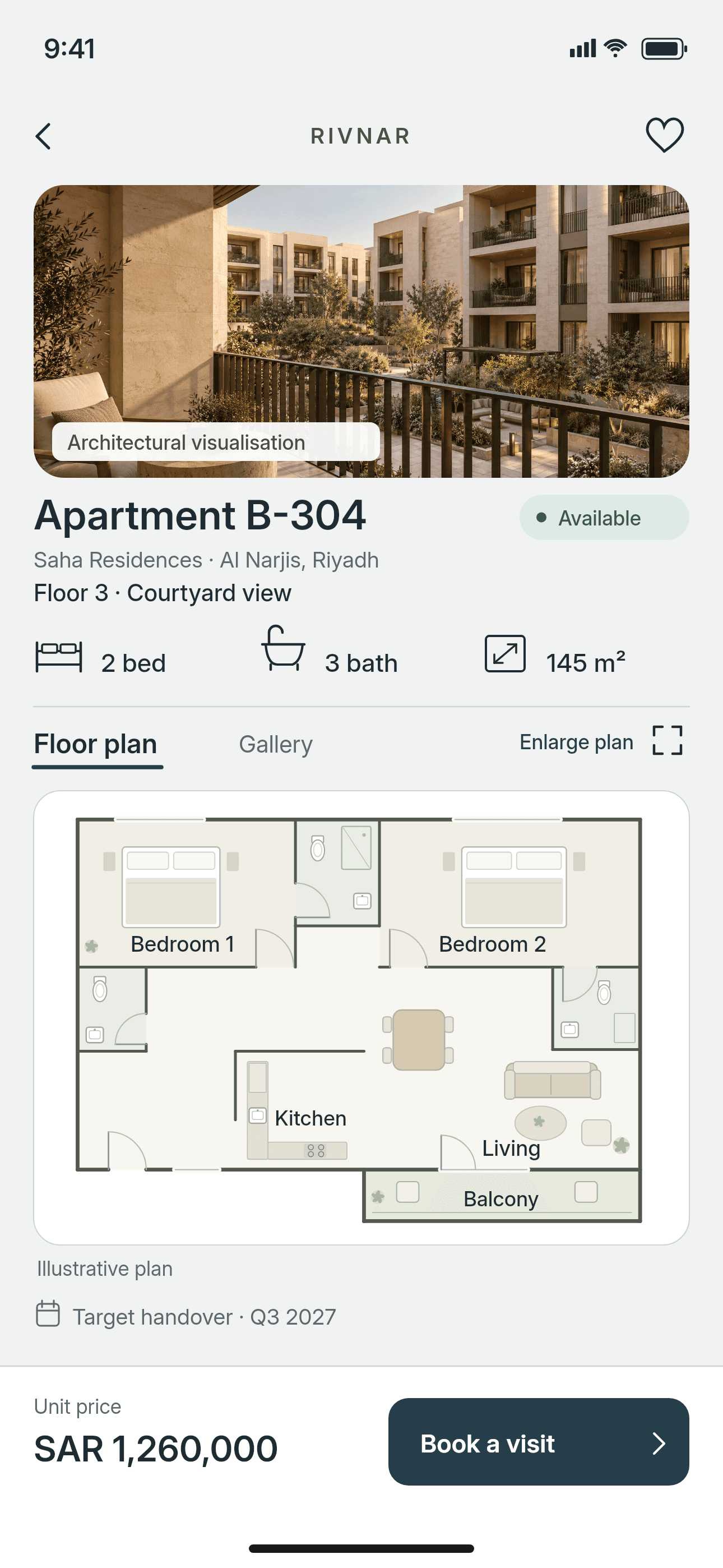
Apartment details
Prospective buyer · Mobile
Buyers can see the floor plan, photos, floor area, bedroom count and price. They can zoom in to understand the layout and request a viewing if the apartment fits their needs and budget.
02 / 06
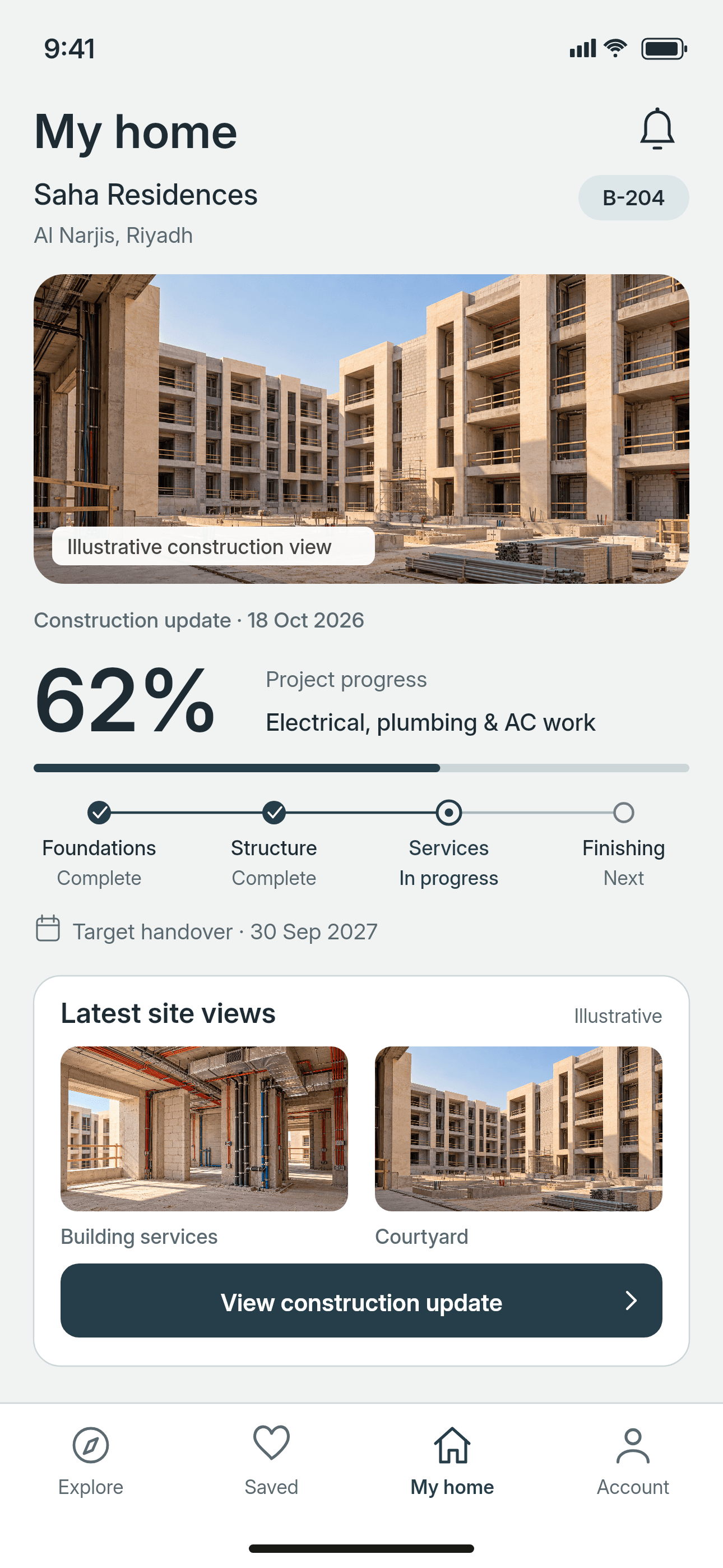
Track construction after purchase
Existing buyer · Mobile
Buyers can follow construction through site photos, the completion percentage and the date of the latest update. The timeline shows what’s finished, what’s underway and what comes next.
03 / 06
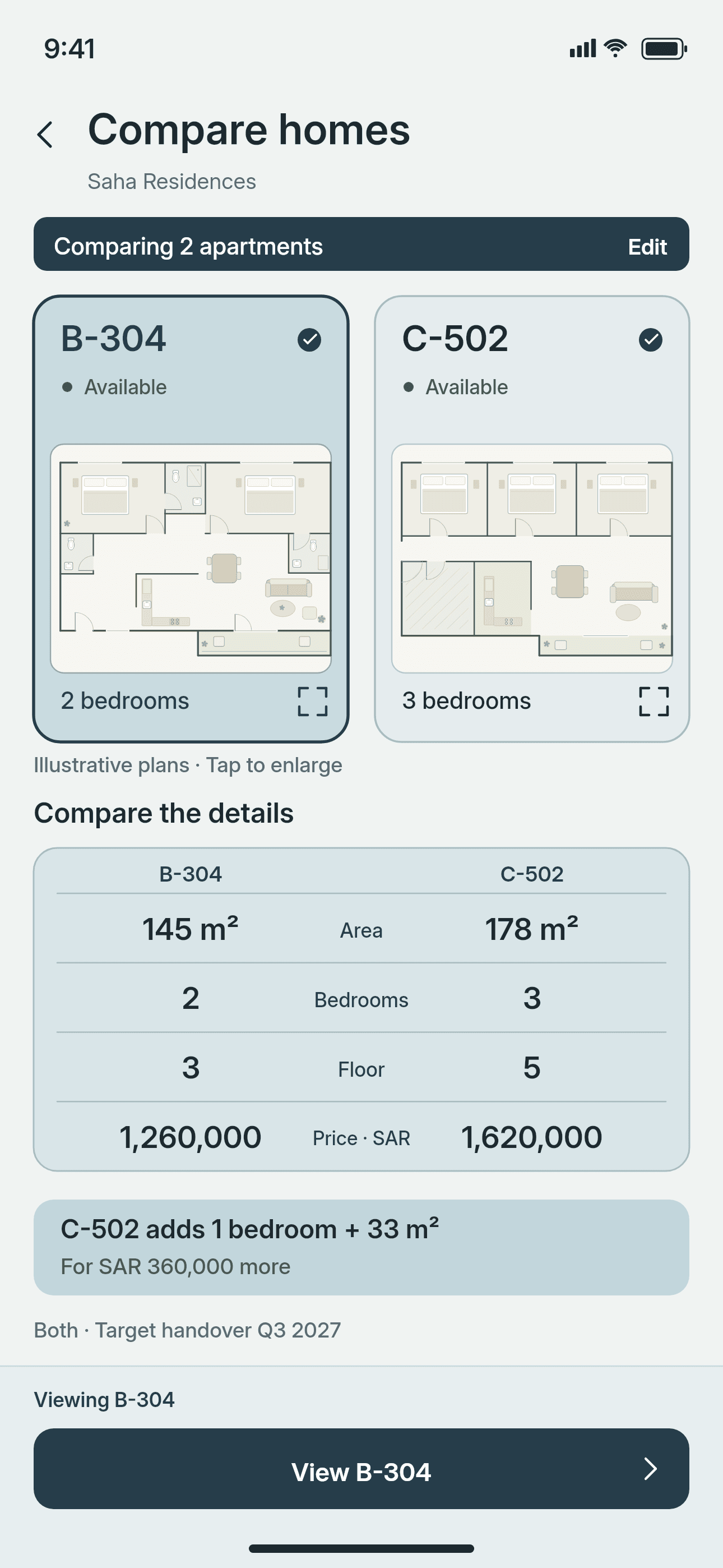
Compare apartments
Prospective buyer · Mobile
Buyers can view two floor plans side by side and compare floor area, level and bedroom count. A summary shows what they get for the price difference before they open the apartment they prefer.
04 / 06
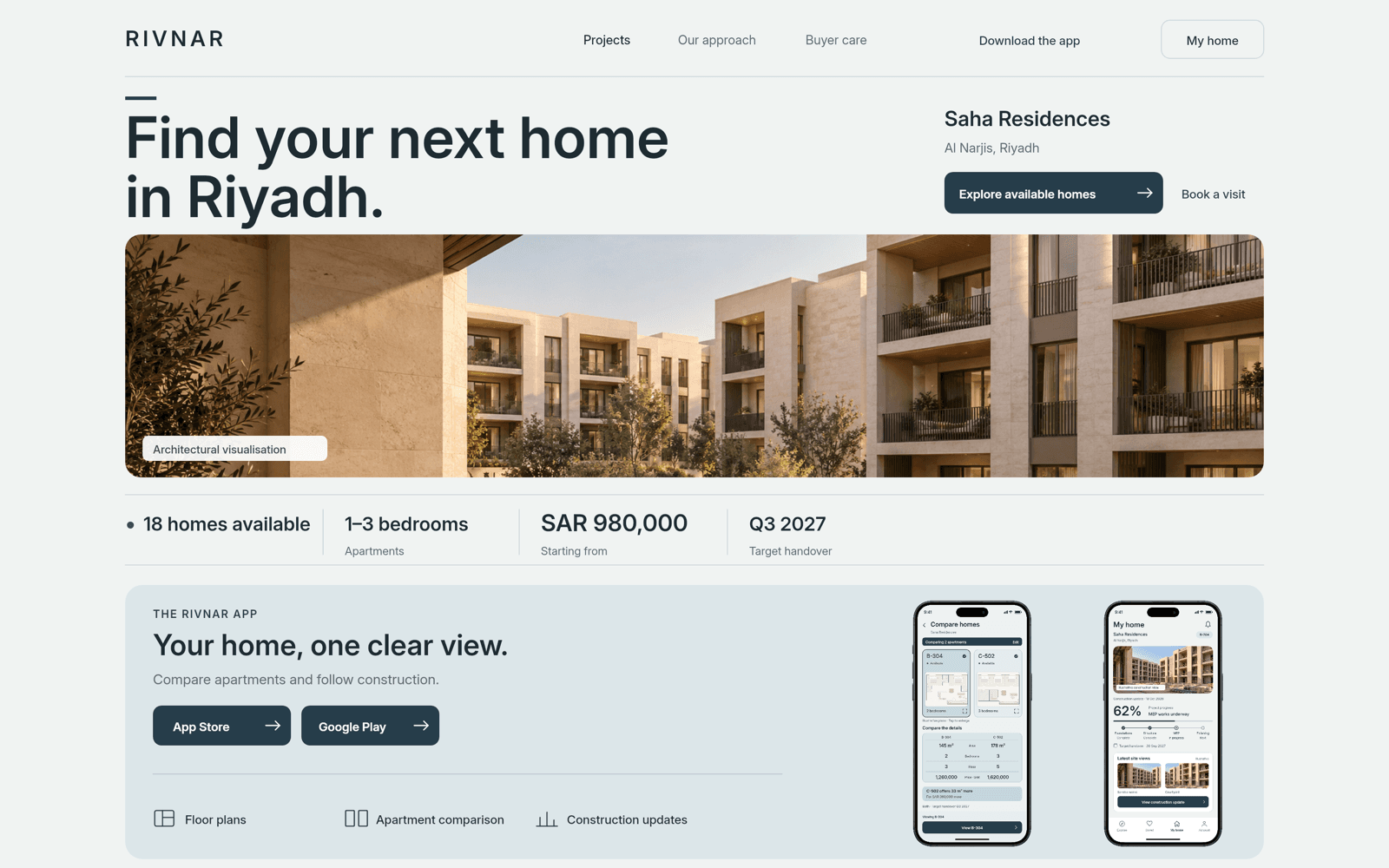
Residential project website
Prospective buyer · Web
Buyers can find the project location, apartment types and expected handover date. This helps them see if the project fits their plans before browsing units or requesting a viewing.
05 / 06
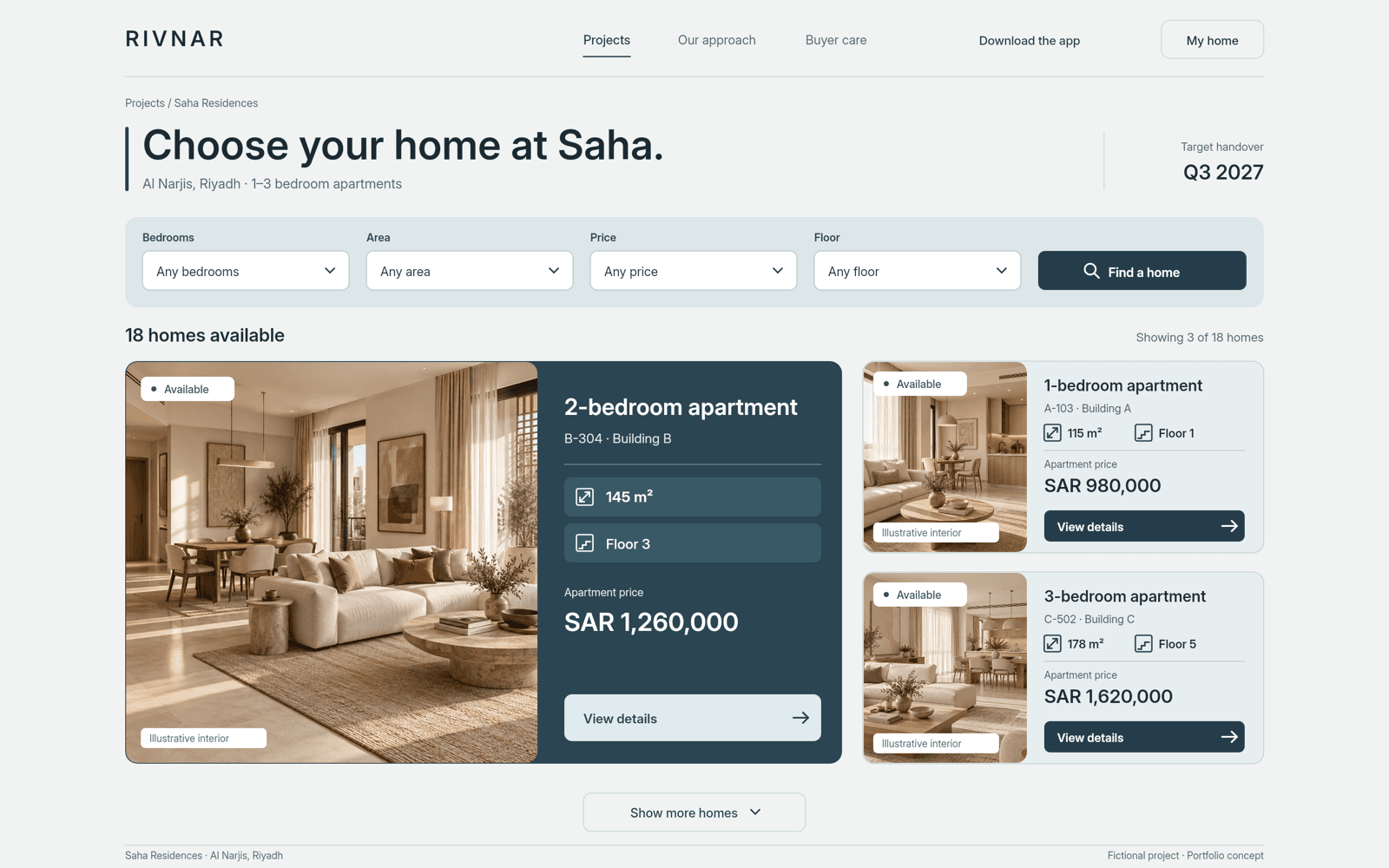
Explore available apartments
Prospective buyer · Web
Buyers can filter by bedrooms, floor area, price and floor, then browse photos and prices for available apartments that match. They can open any apartment to see the details.
06 / 06
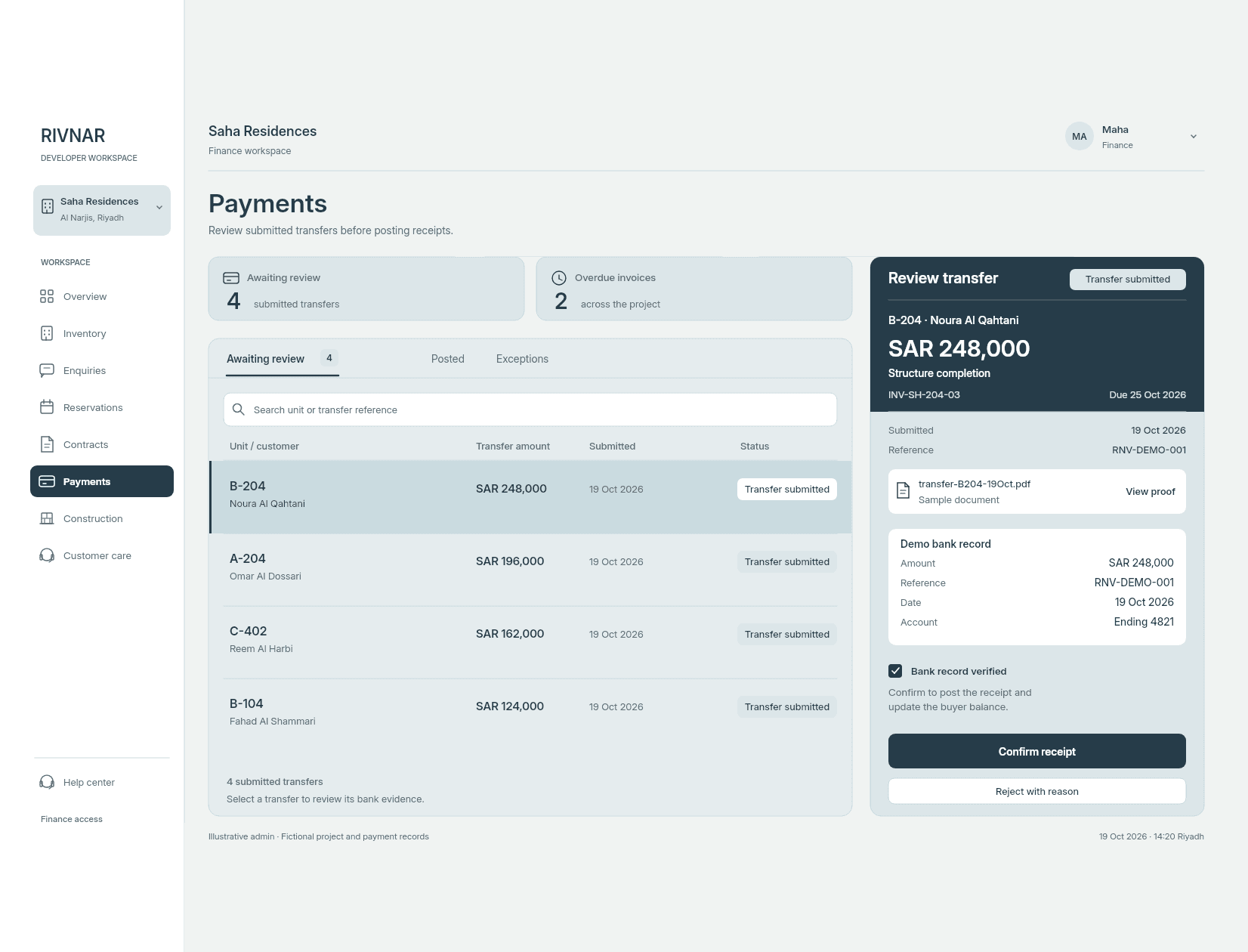
Review transfers and payment receipts
Finance reviewer · Tablet
Your finance team checks the transfer amount and reference against the bank record. Confirming a match updates the buyer’s balance. If something differs, the team can reject the receipt and give a reason.
The business
Prospective buyers compare apartments and request a visit from the app or website. Existing buyers follow their home’s construction updates, while the finance team checks submitted transfers before confirming receipt.
- The problem
- An enquiry must not imply a reserved apartment, and an uploaded transfer must not become a verified receipt before finance review.
- Why a custom product
- The design separates apartment discovery, buyer follow-up and financial review while keeping unit and payment states explicit.
Who uses it
Prospective buyer
Web
Explore the project, filter available apartments and request a visit from the website.
Existing buyer
Mobile
Follow construction updates and review the latest site views in the app.
Finance reviewer
Admin
Check transfer evidence and confirm receipt after review.
App homebuyer
Mobile
Review apartment plans and prices, compare homes and request a visit.
Business rules
An enquiry is not a reservation
Viewing, saving or enquiring about an apartment does not change its inventory state.
A submission is not a receipt
Payment evidence stays pending until the finance team verifies it. Paid and remaining balances update only after confirmation.
Design coverage
Shown in these screens
- Customer app: inspect and compare apartments, request a visit and follow construction after purchase.
- Customer website: explore the residential project, filter available homes and access the app download.
- Finance dashboard: review submitted transfer evidence before confirming receipt and updating balances.