

Bookings
Women’s Pilates Studio
Members explore Reformer Pilates classes and the weekly schedule on the website, then manage bookings and class credits in the app. When a place opens, a timed waitlist offer explains the decision and its effect on credit, while staff track confirmed and temporarily held places.
Classes, passes and waitlistsMobile · Web · Admin
Key screens
The product experience in 6 key screens.
01 / 06
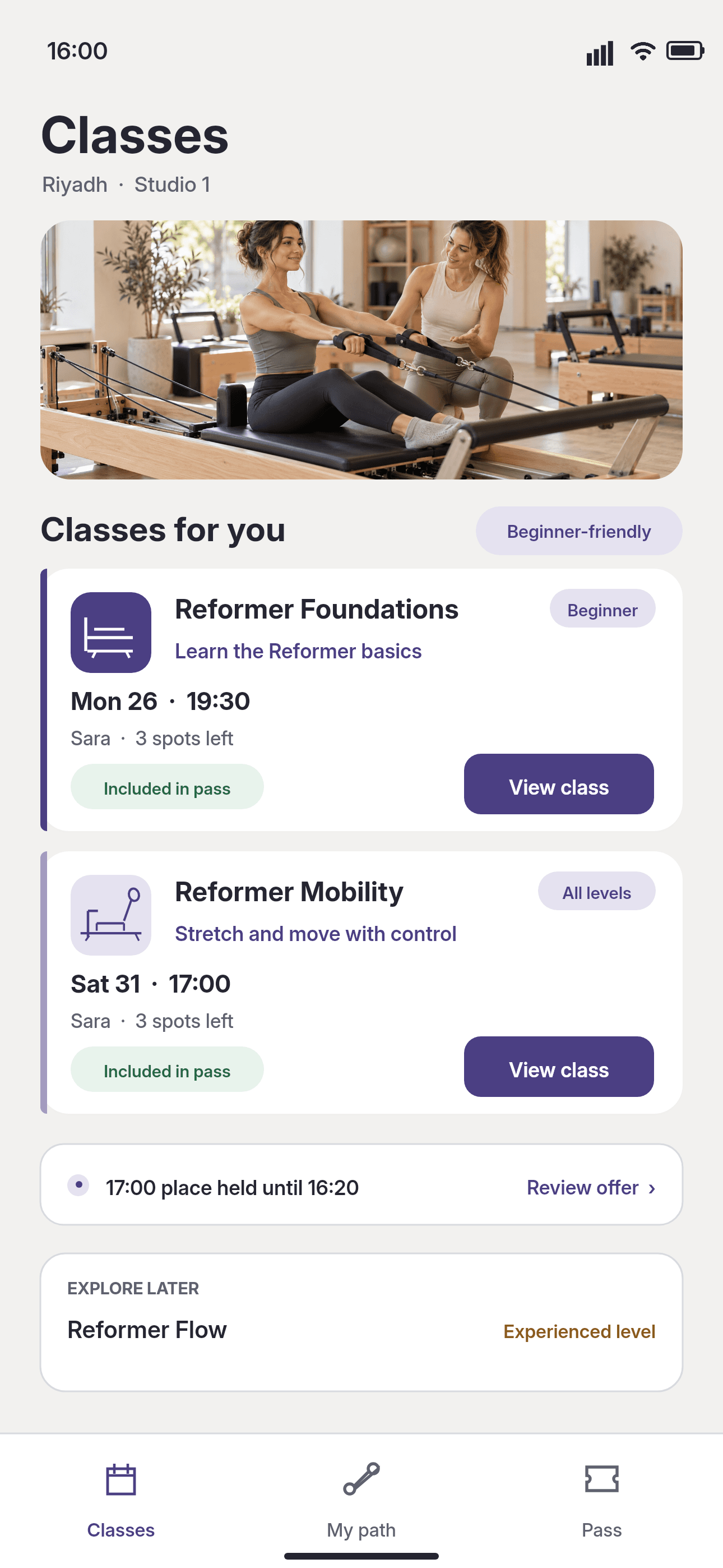
Find the right class
Studio member · Mobile
Members can check each class’s level, instructor, time and available spots. They can also see if their pass covers it before they book.
02 / 06
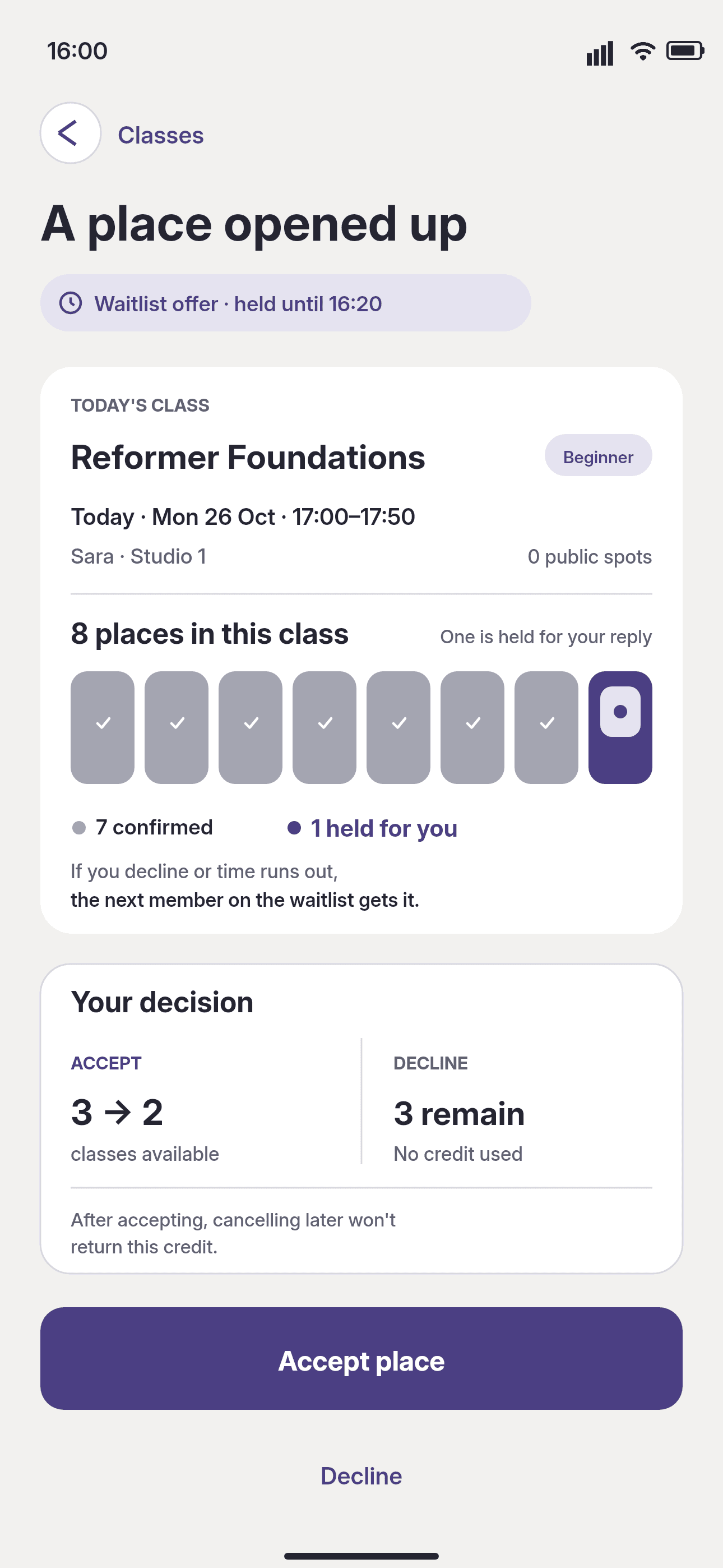
Waitlist spot offer
Studio member · Mobile
When a spot opens, the member sees the class details and how long they have to respond. Accepting confirms the booking and uses one class credit. If they decline, they keep their credit and the offer goes to the next member.
03 / 06
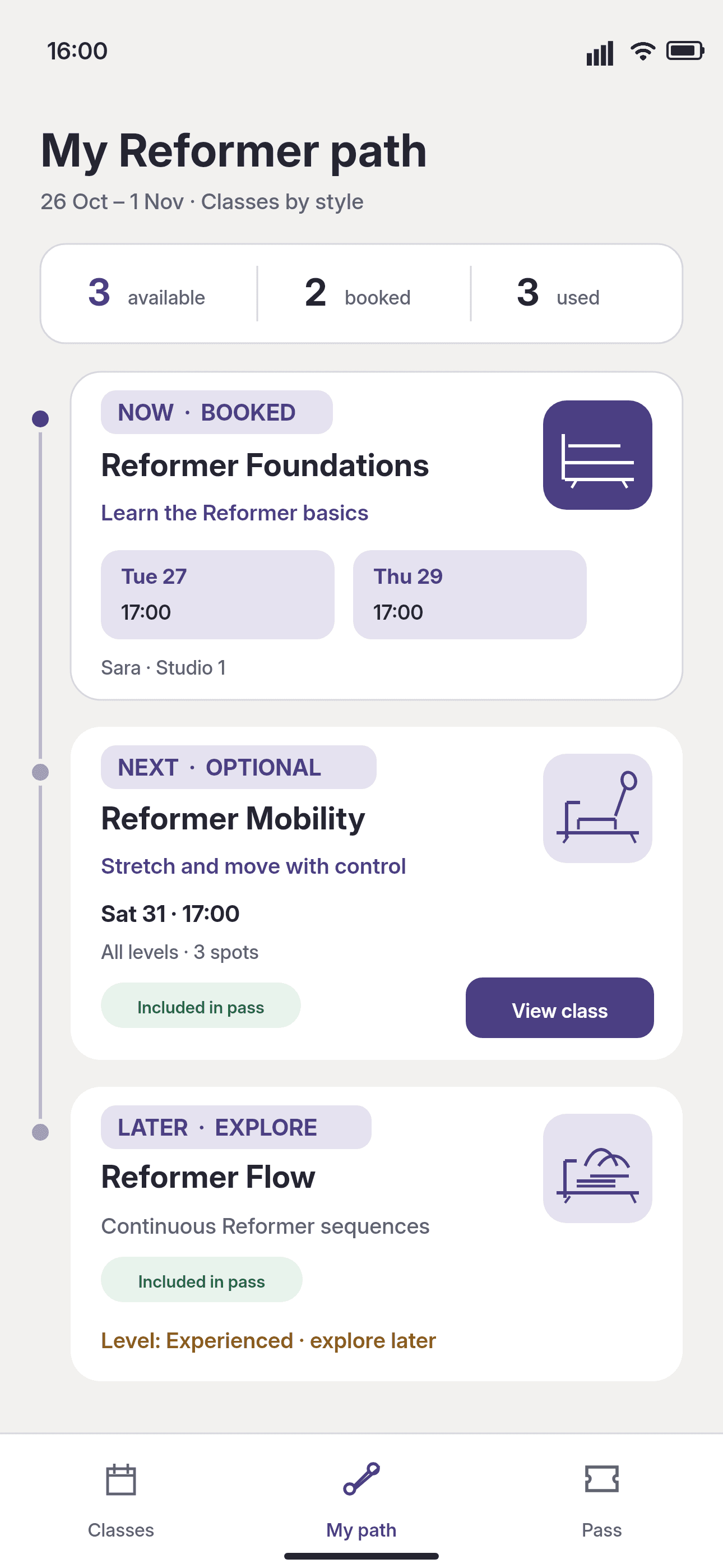
Your Reformer classes
Studio member · Mobile
Members see the Reformer classes they’ve booked and an optional class covered by their pass. They can check if it fits this week’s schedule and see a more advanced class to try later.
04 / 06
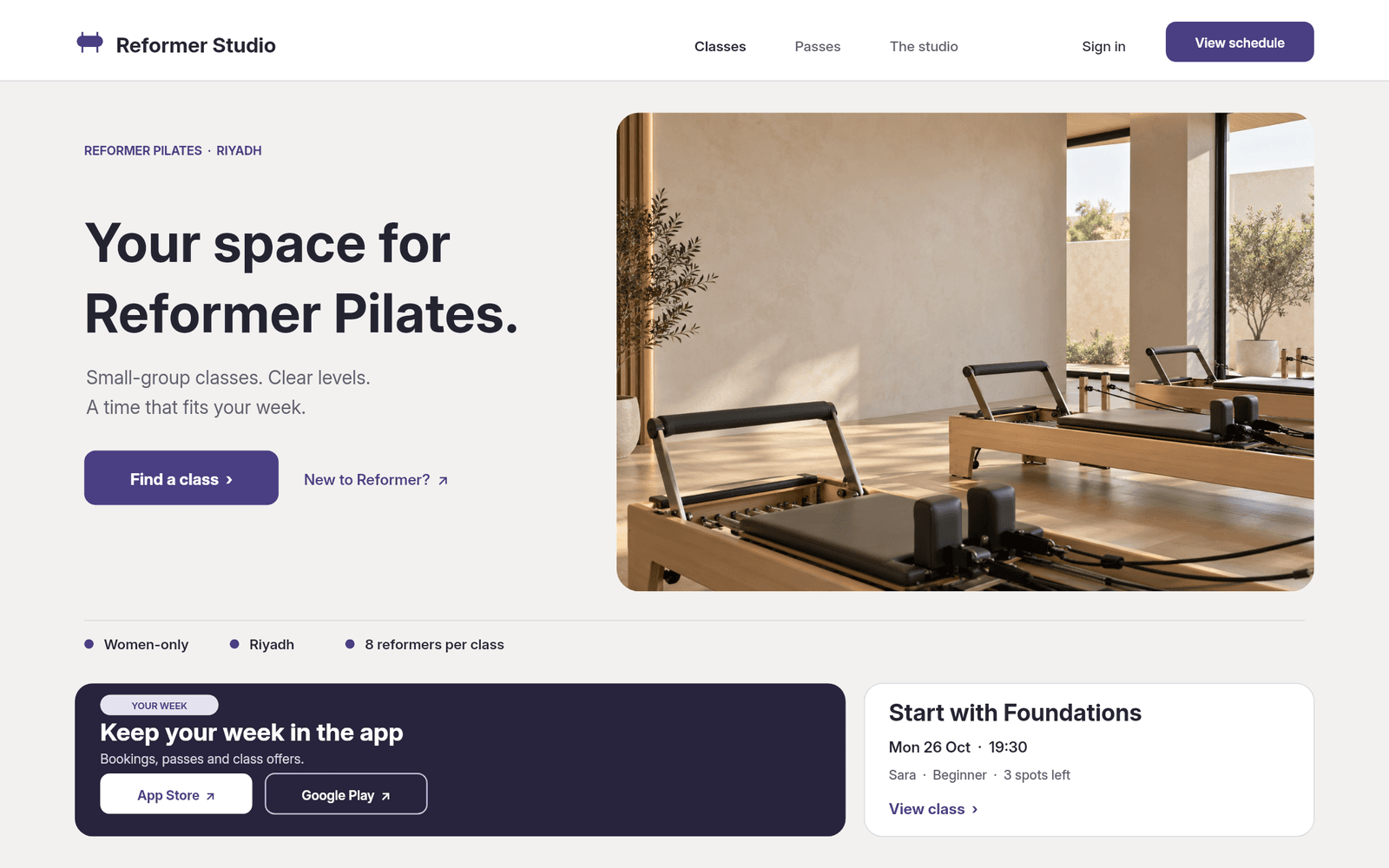
Pilates studio website
Website visitor · Web
First-time clients can see a beginner class with its time, instructor and open spots. They can open the class details or browse the schedule for another option.
05 / 06
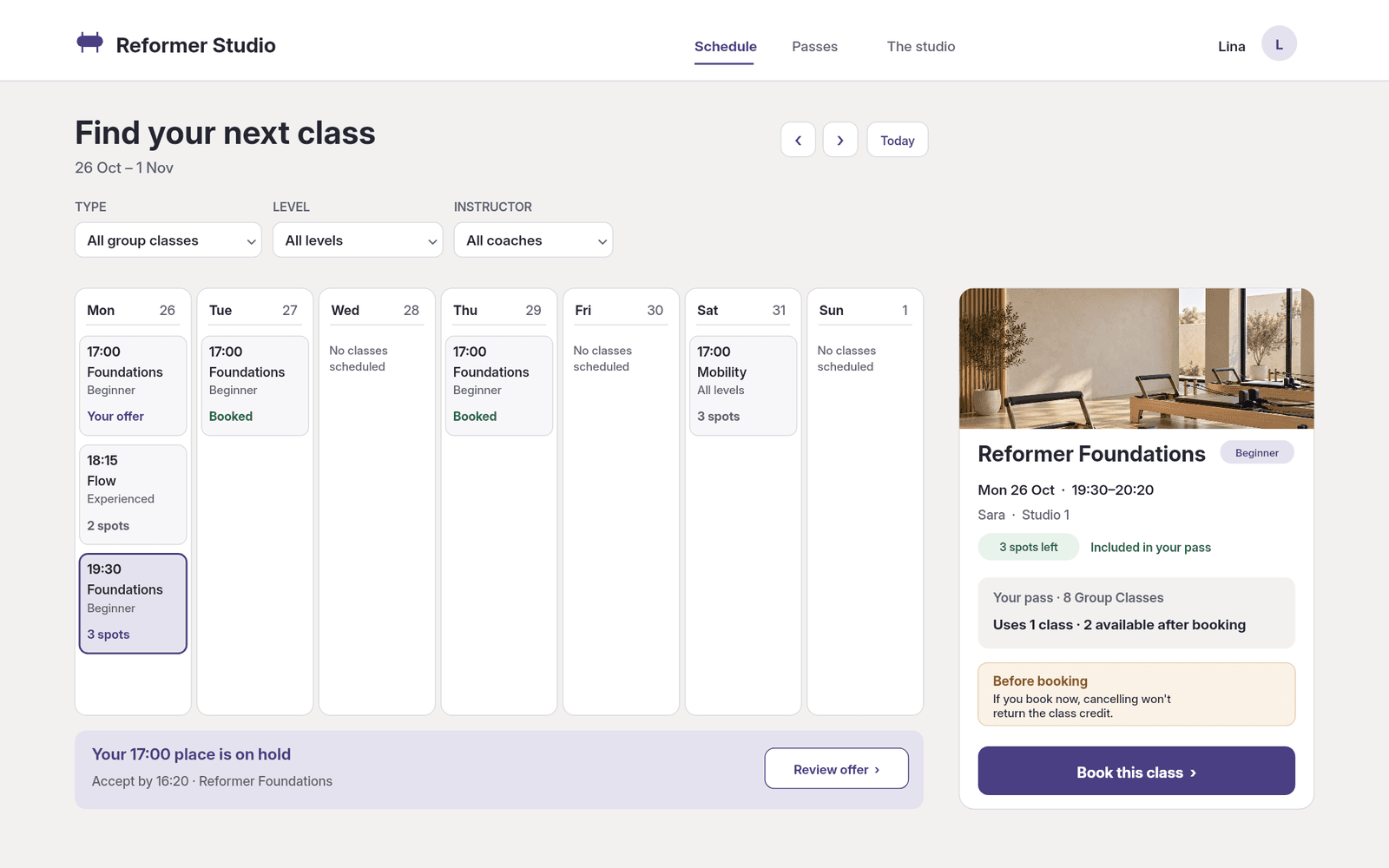
Weekly class schedule
Website visitor · Web
Clients can filter the week’s classes by type, level and instructor. When they open a class, they see how many spots are left and how many credits they’ll have after booking.
06 / 06
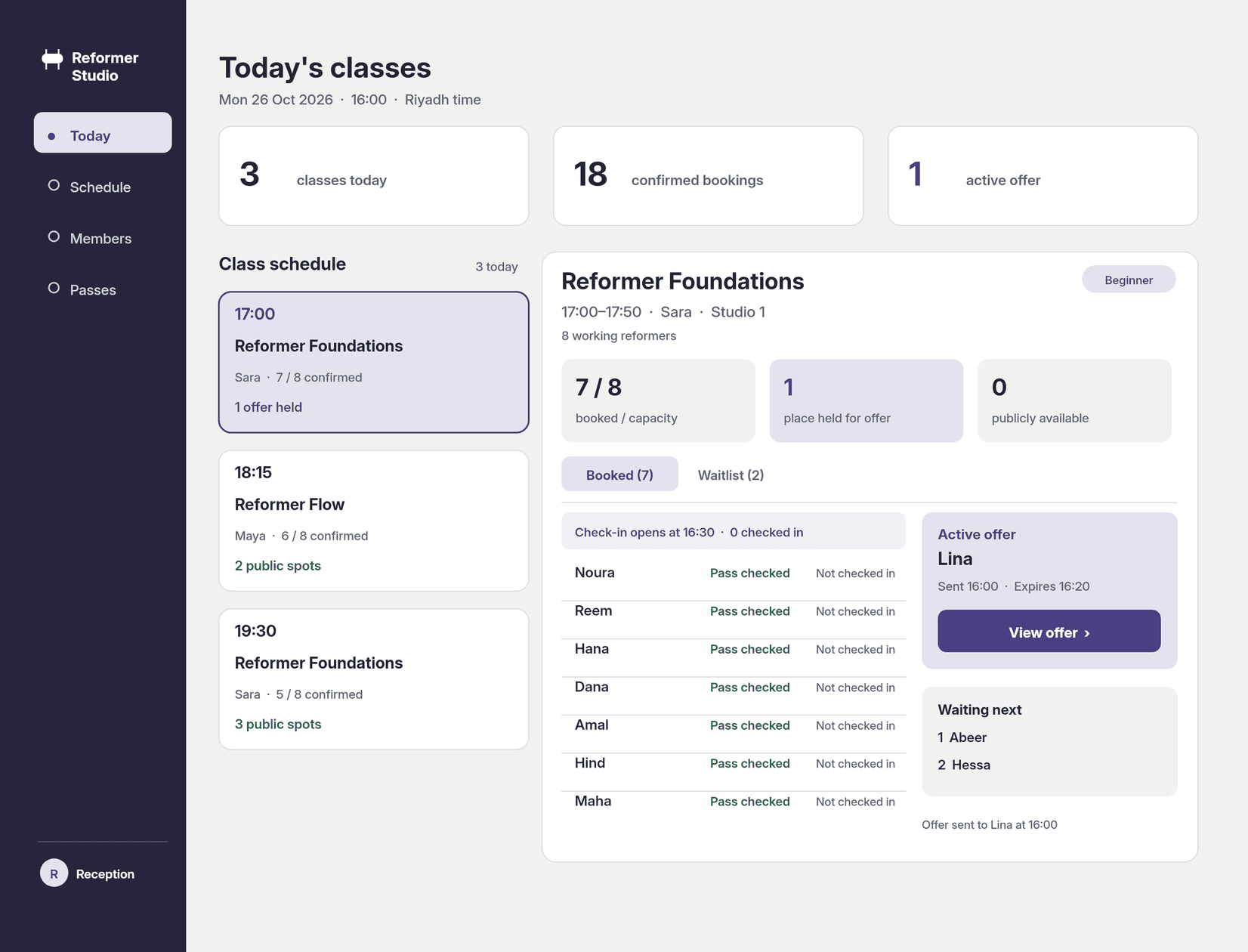
Today’s class availability
Studio team · Admin · Tablet
Your team sees confirmed bookings and spots temporarily held for the waitlist. They can check who received each offer and when it expires, so they know which spots are open for booking.
The business
Members choose classes by level and capacity, respond to a timed waitlist offer and plan their week. Staff review confirmed places and temporary offers separately.
- The problem
- A place offered from the waitlist is not yet a confirmed booking. Members also need to understand the effect on their class credits.
- Why a custom product
- Members can see when a waitlist offer expires and when accepting it uses a class credit. Staff can distinguish held places from confirmed bookings.
Who uses it
Studio member
Mobile
Choose classes and respond to a waitlist offer.
Studio team
Admin
Review class capacity and confirmed bookings.
Website visitor
Web
Explore the studio and passes, compare class levels, instructors and available times, and access the app.
Business rules
Hold a place until the offer expires
Keep the place temporarily held while the member reviews the waitlist offer. Use a class credit only after successful acceptance.
Distinguish confirmed bookings from held places
Show confirmed members and active waitlist offers separately, so the team can see the class’s actual remaining capacity.
Design coverage
Shown in these screens
- Member app: choose classes, respond to timed waitlist offers and review weekly bookings and credits.
- Studio website: explore class formats and passes, compare the weekly schedule and access the app entry.
- Studio dashboard: review daily capacity, confirmed bookings and places held for waitlist replies.