

Bookings
Salon & Spa
Customers explore services, choose an appointment and manage membership through the app and website. Reception staff use a separate dashboard to review the branch schedule and available appointment times.
Appointments and membershipMobile · Web · Admin
Key screens
The product experience in 7 key screens.
01 / 07
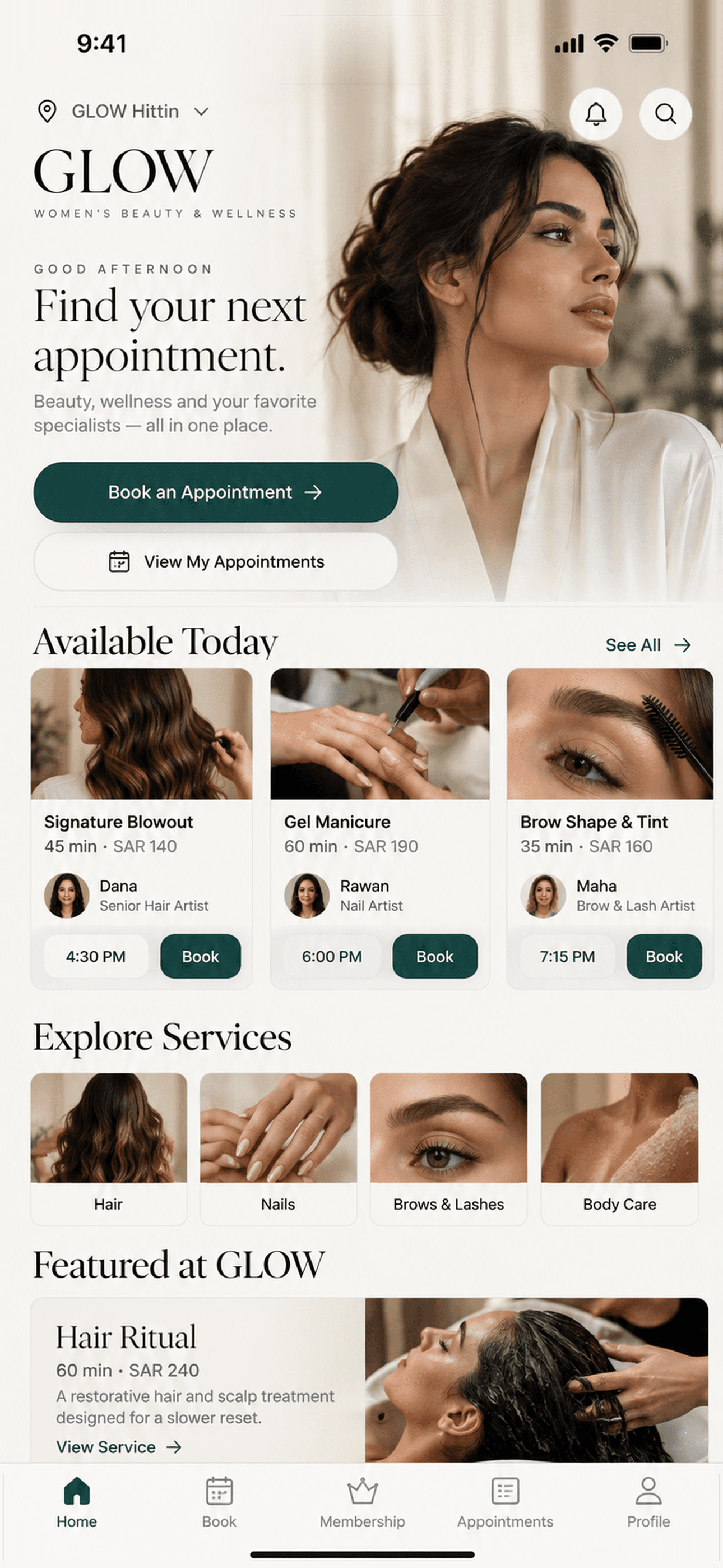
Services and available appointments
Customer · Mobile
Clients see what’s available today, along with the specialist, service, duration and price for each slot. They can start booking as soon as they find an appointment that suits their schedule and budget.
02 / 07
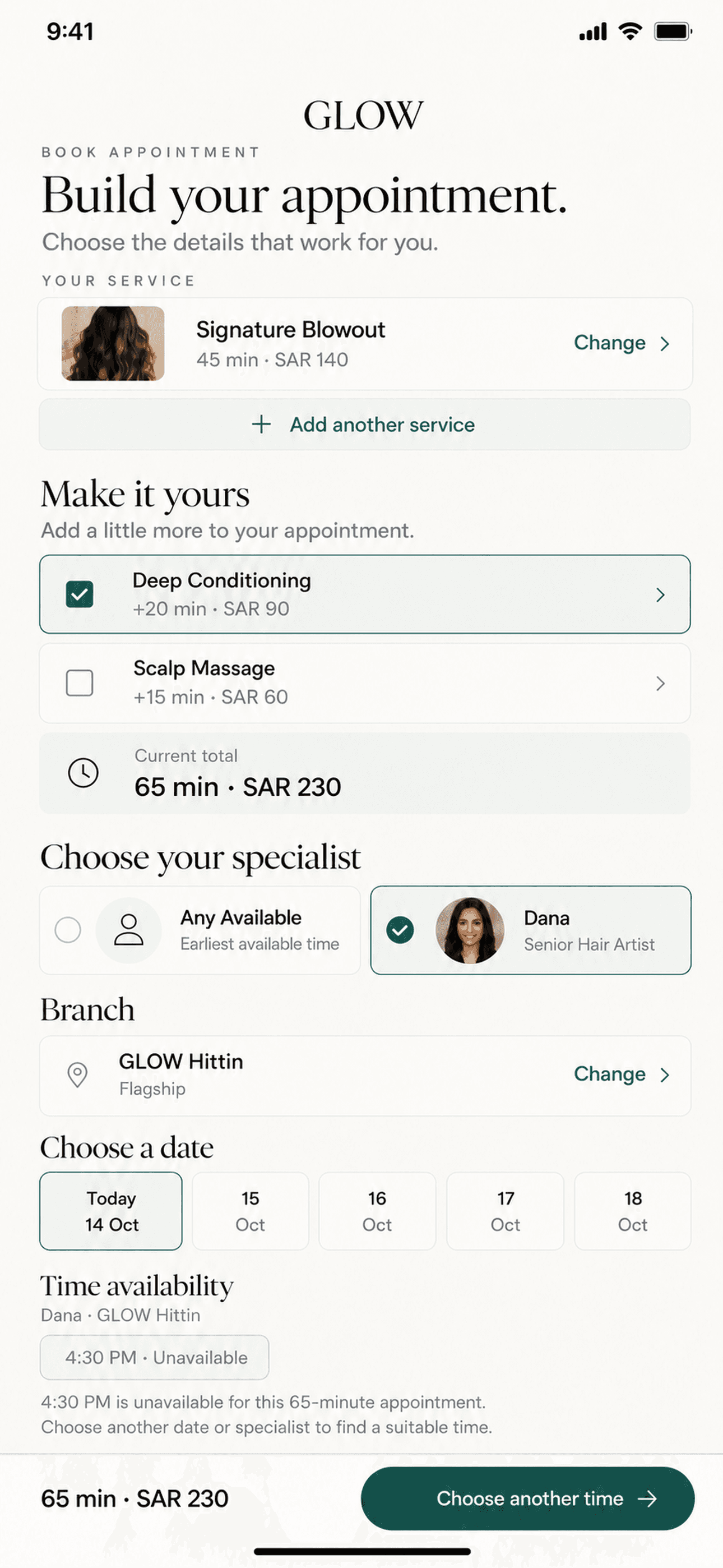
Multiple services in one appointment
Customer · Mobile
Clients can book several services in one visit and see the total time and price. If their specialist can’t fit in every service, they can look for a slot long enough for the whole visit.
03 / 07
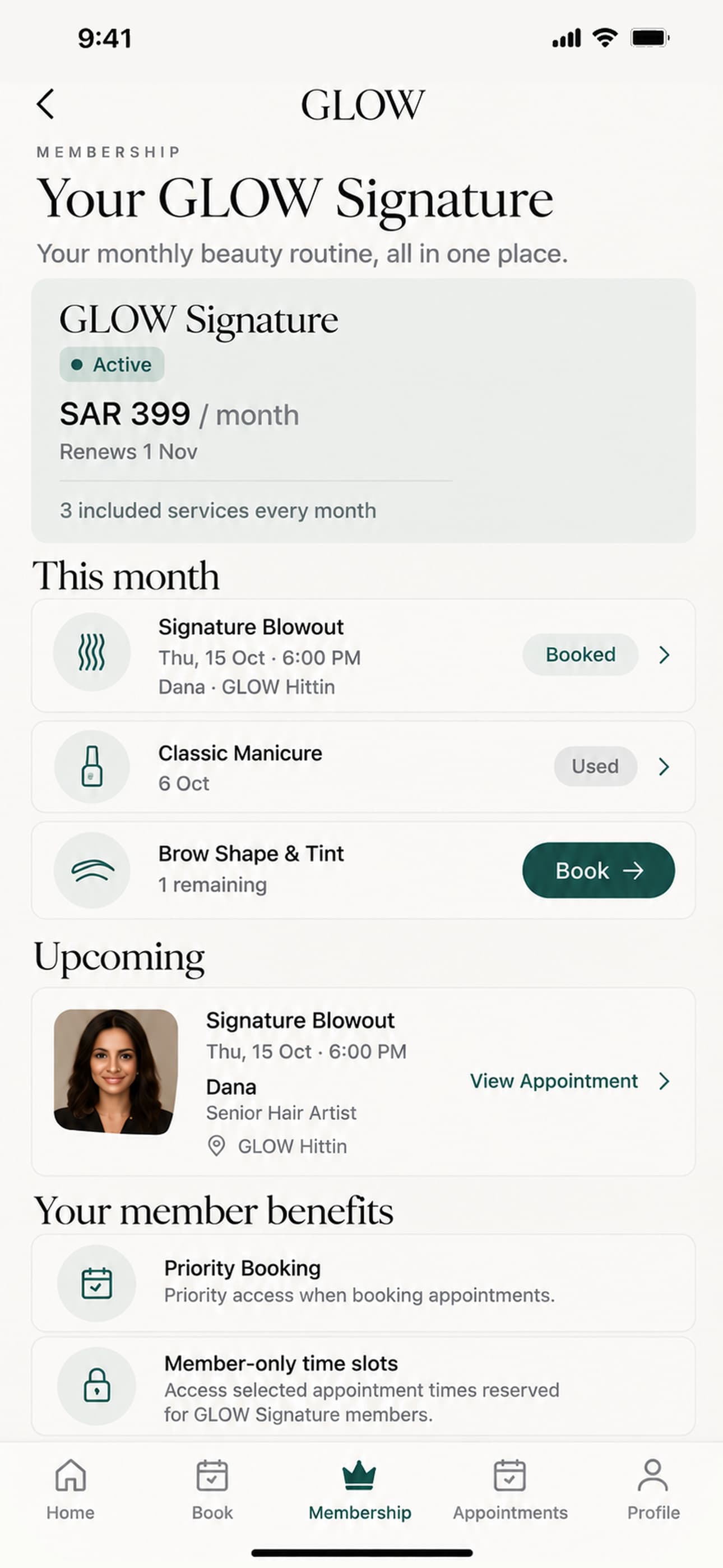
Membership benefits
Customer · Mobile
Clients can see which services their membership covers, what they’ve booked or used, and what’s left. They can book an unused service or open their next appointment.
04 / 07
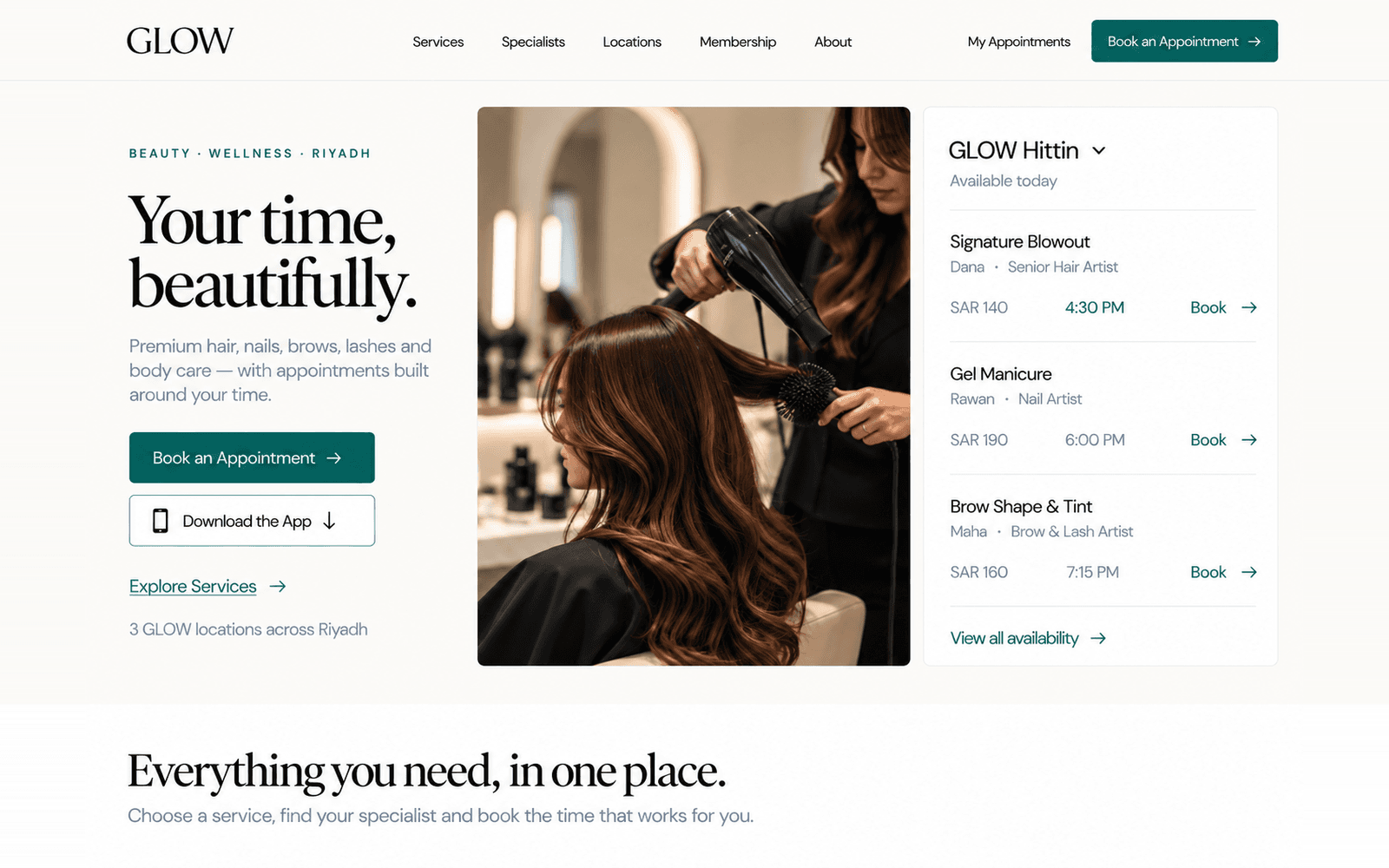
Salon website
Customer · Web
Clients choose a branch and see which services are available today, with the specialist and price shown for each slot. They can start booking from the time that suits them.
05 / 07
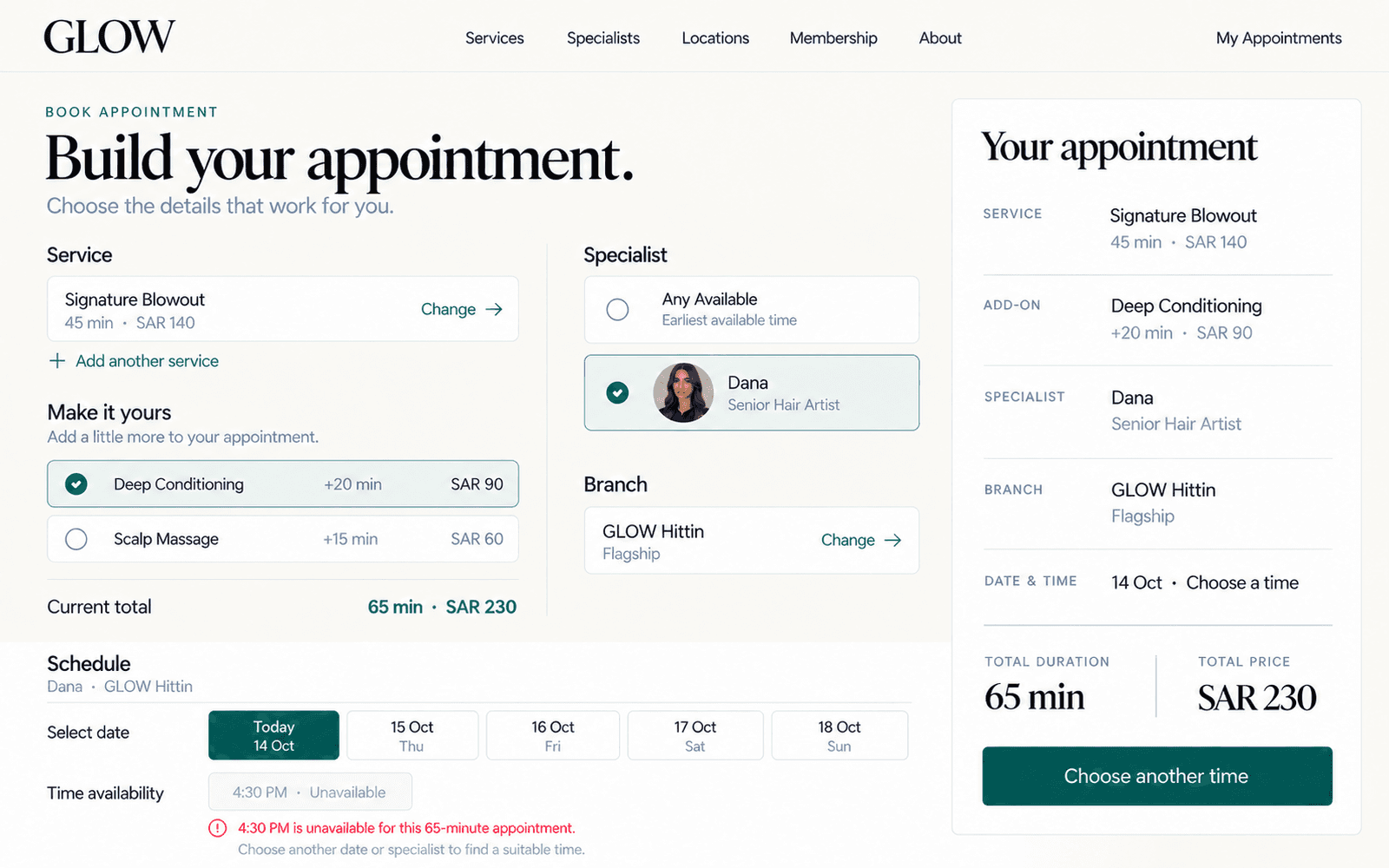
Choose appointment details
Customer · Web
Clients choose their services, branch, specialist and date. The summary shows the combined duration and price so they can pick a time that fits the full visit.
06 / 07
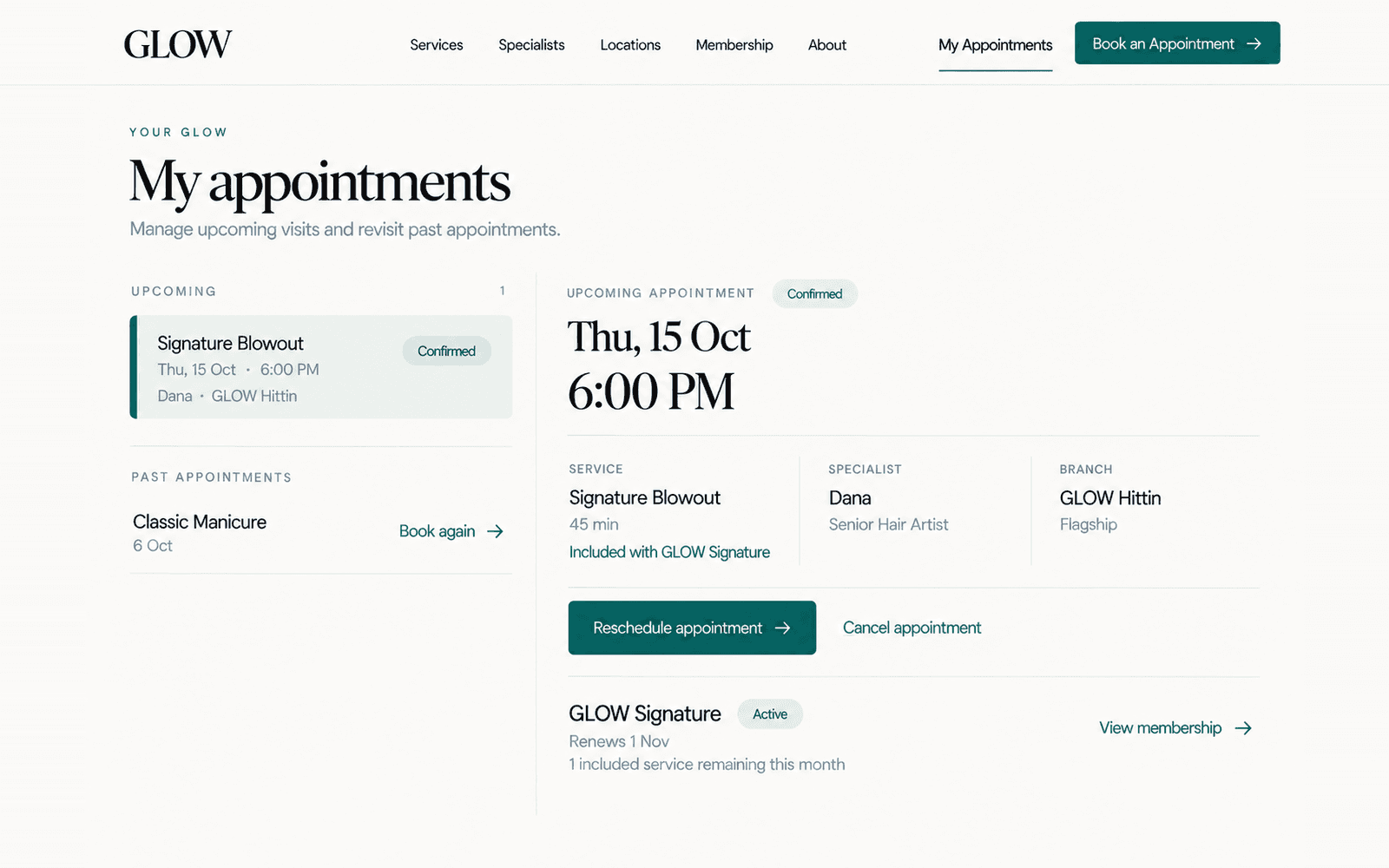
Upcoming and past appointments
Customer · Web
Clients can check their next appointment, branch and specialist in one place. If plans change, they can reschedule or cancel, and they can rebook a service from a past visit.
07 / 07
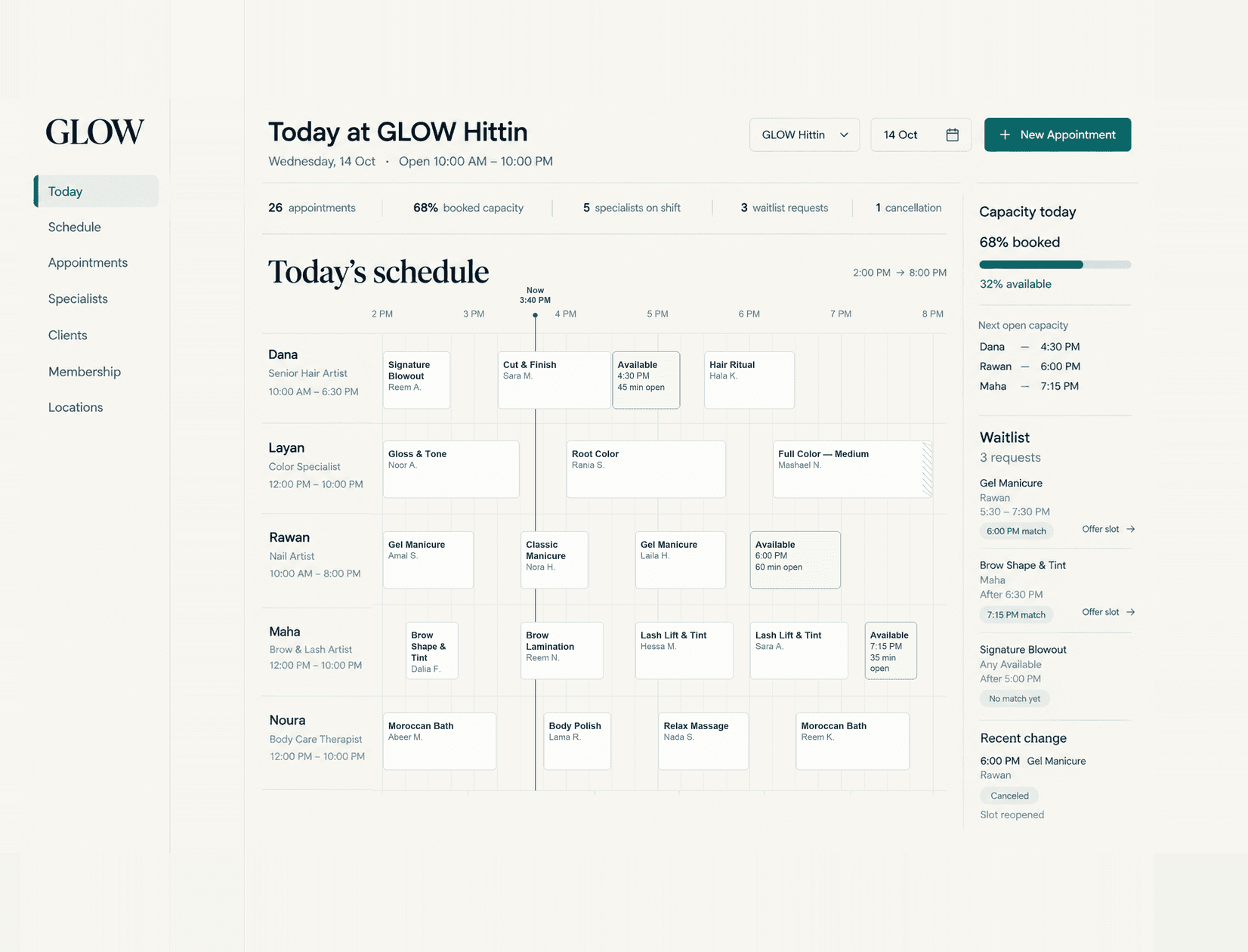
Branch appointment schedule
Reception team · Tablet
Your reception team can see today’s appointments, each specialist’s openings and the waitlist side by side. When a slot is long enough for the requested service, they can offer it to the client who’s waiting.
The business
Customers discover services, arrange appointments and review membership through the app and website. Reception staff organize the branch schedule and the salon team’s available time.
- The problem
- Adding a service changes the required duration. A booking choice must still fit the specialist’s real opening and shift.
- Why a custom product
- The design links customer service choices with duration-based scheduling, while keeping membership and branch operations distinct.
Who uses it
Customer
Mobile
Explore services, choose an appointment and review membership in the app.
Reception team
Admin
Review specialists, openings and the branch schedule.
Website visitor
Web
Explore services and branches, choose appointment details, review bookings and access the app download.
Business rules
Recheck the complete service duration
Check that the full service duration fits the available appointment. If it does not, ask the customer to choose another suitable time.
Keep membership appointments separate
Show an existing membership appointment separately from a new booking, so the customer can review each appointment and its included services.
Design coverage
Shown in these screens
- Customer app: explore services, choose a suitable appointment and review membership benefits.
- Customer website: explore services and branches, arrange an appointment, review bookings and find the app download.
- Branch dashboard: review the daily schedule, staff availability and appointment workload.