

Food & Beverage
Specialty Coffee
Customers browse the menu, choose a branch and customize drinks through the app or website. The barista dashboard shows each drink’s selected options and preparation stage, while the pickup pass helps identify the ready order at collection.
Drink customization and collectionMobile · Web · Admin
Key screens
The product experience in 6 key screens.
01 / 06
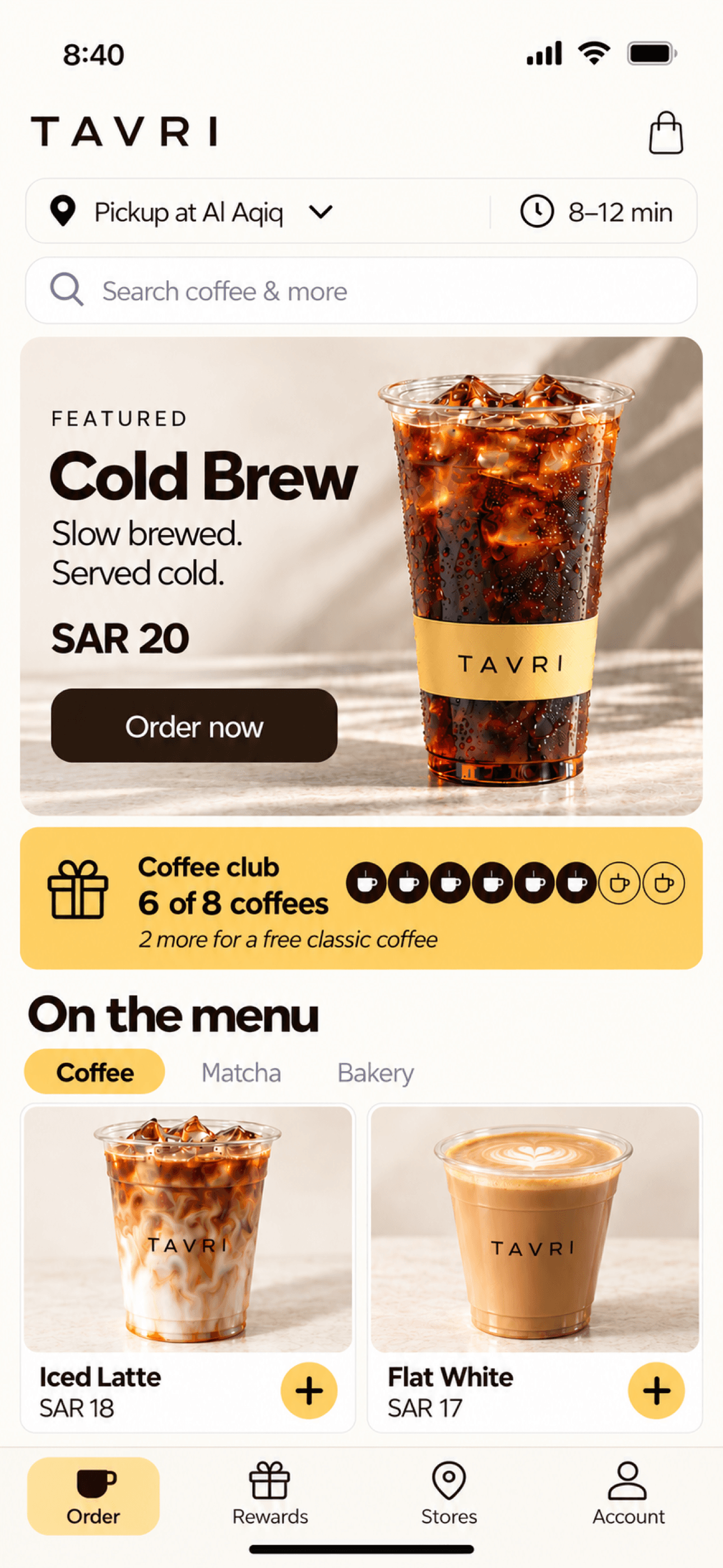
Menu and coffee rewards
Customer · Mobile
Customers can browse their branch’s menu and see the estimated pickup time before ordering. Their rewards card shows how many drinks count toward a free coffee and how many more they need.
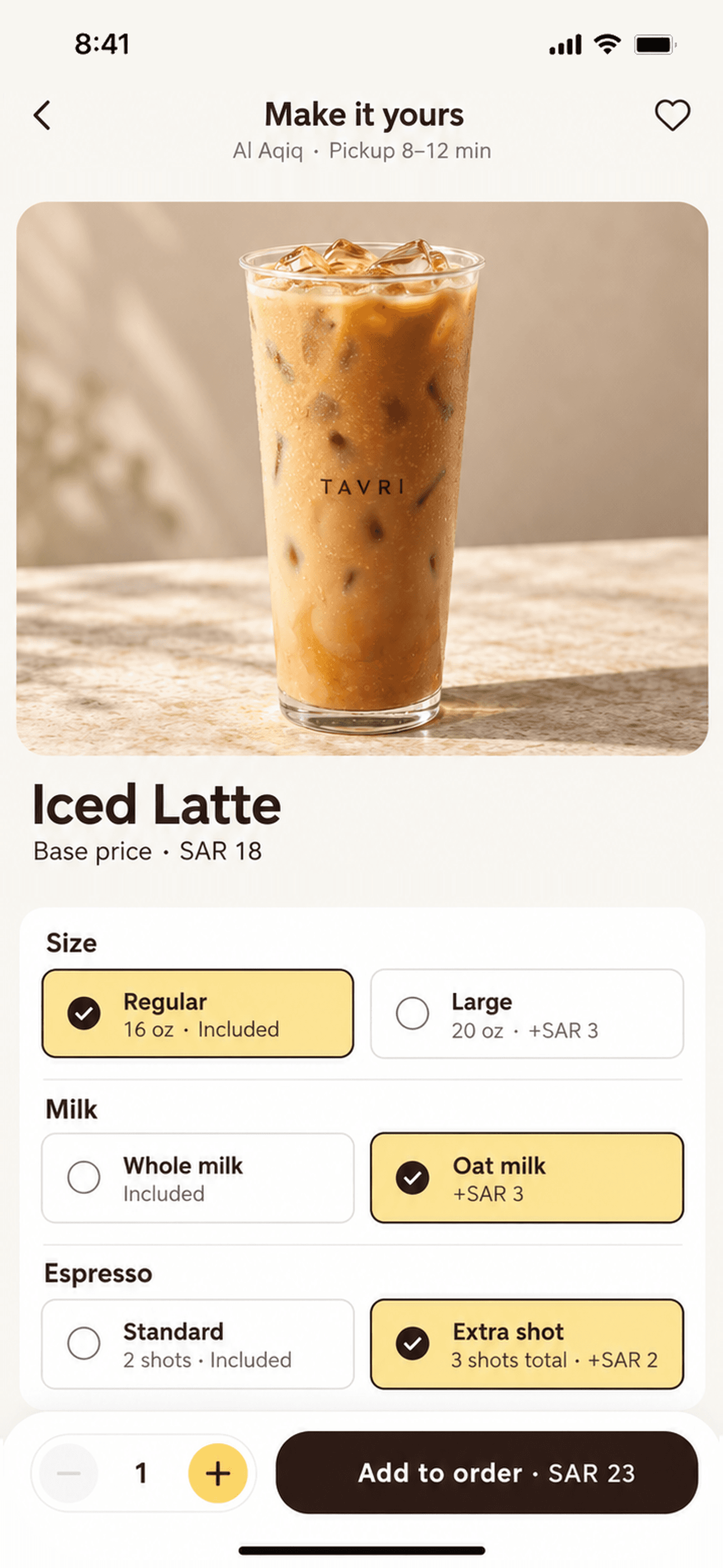
02 / 06
Customize your drink
Customer · Mobile
Customers choose the drink size, milk and number of espresso shots. The price updates with each change so they can see what their drink will cost before adding it to the order.
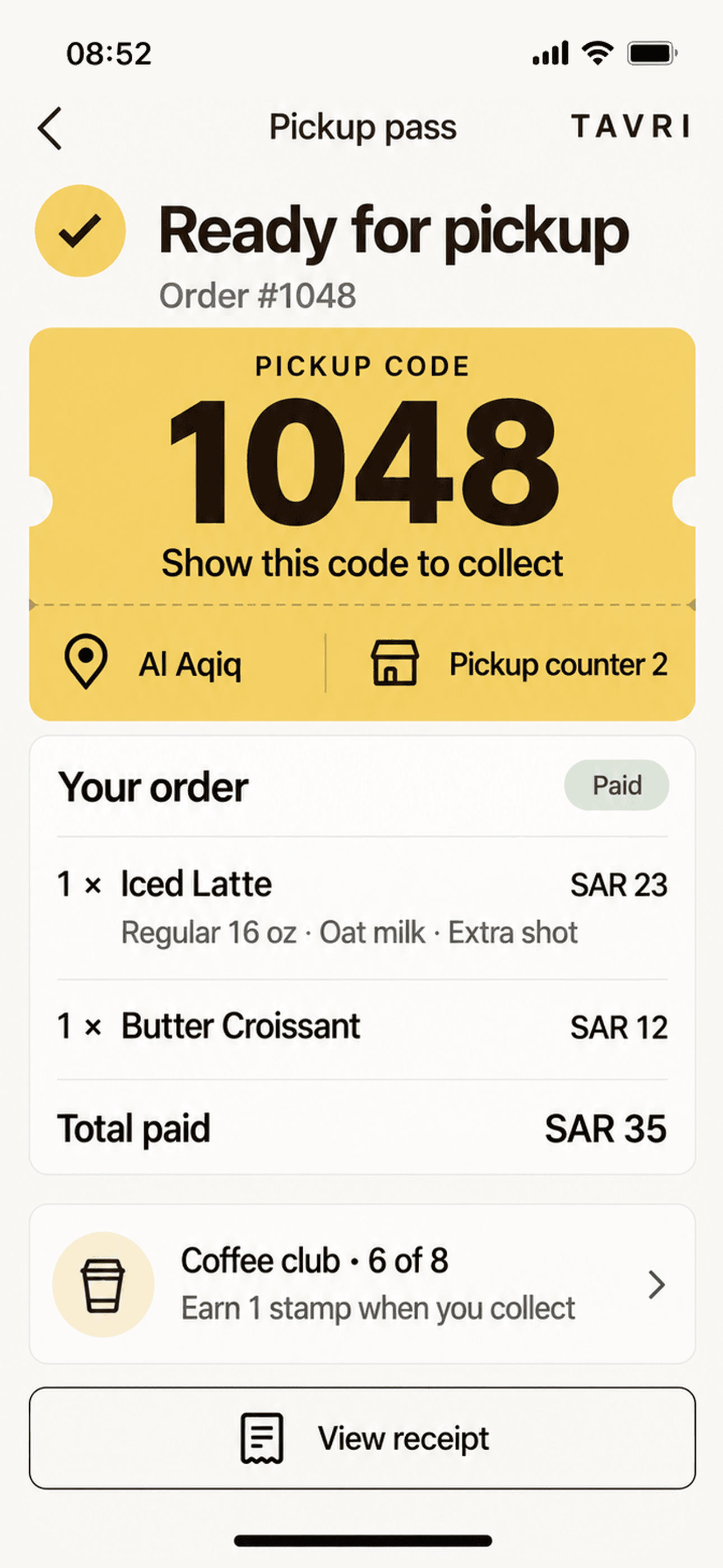
03 / 06
Pickup pass
Customer · Mobile
When the order is ready, customers see the branch, pickup point and order details. They go to the pickup point and show their code to collect it.
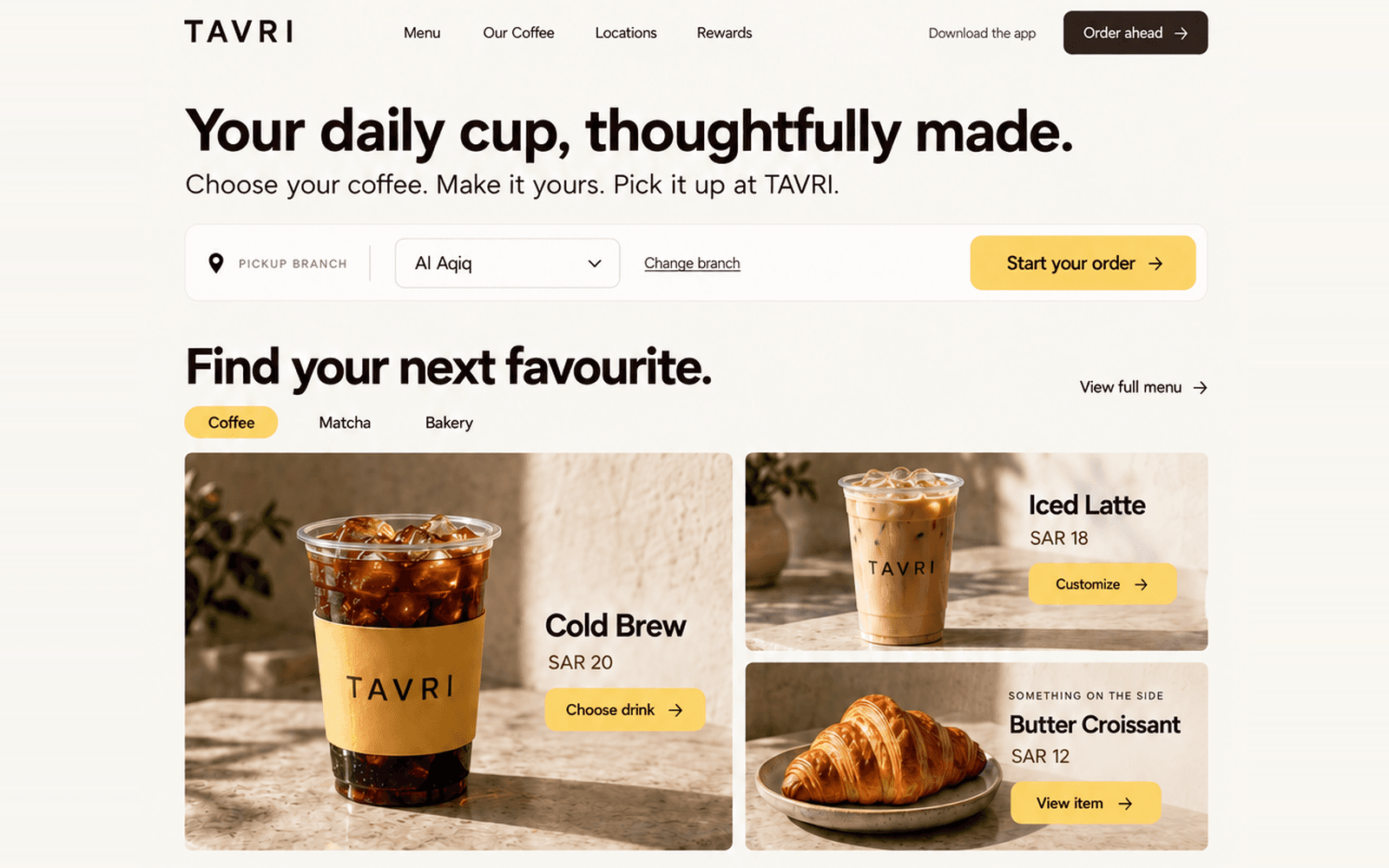
04 / 06
Coffee shop website
Website customer · Web
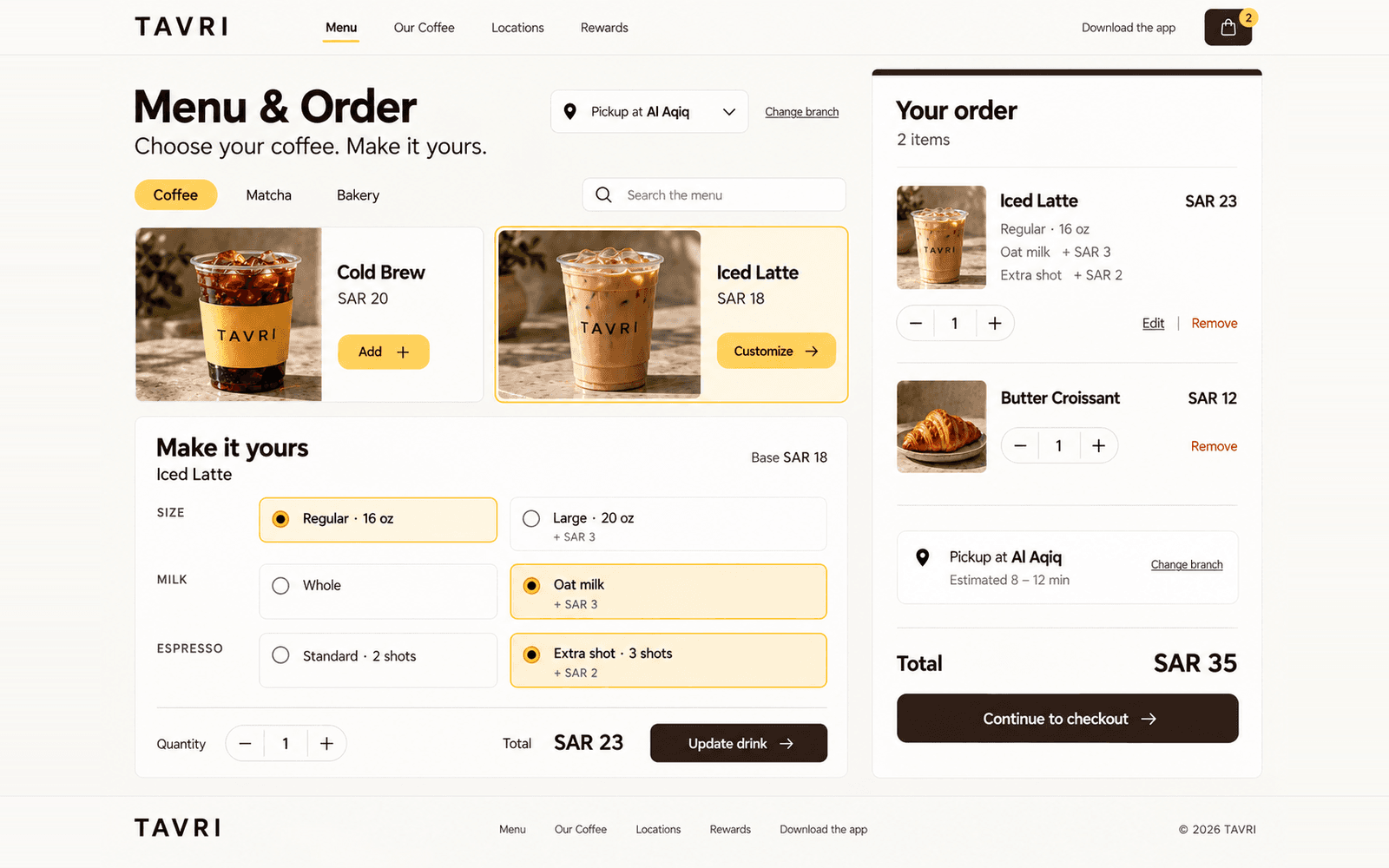
Customers choose a pickup branch and browse drinks and baked goods. They can open a drink they like and go straight to choosing its size and extras.
05 / 06
Menu and order review
Website customer · Web
Customers can customize a drink and add baked goods from the menu. The order summary stays alongside it, so they can check the extras, pickup branch and total before payment.
06 / 06
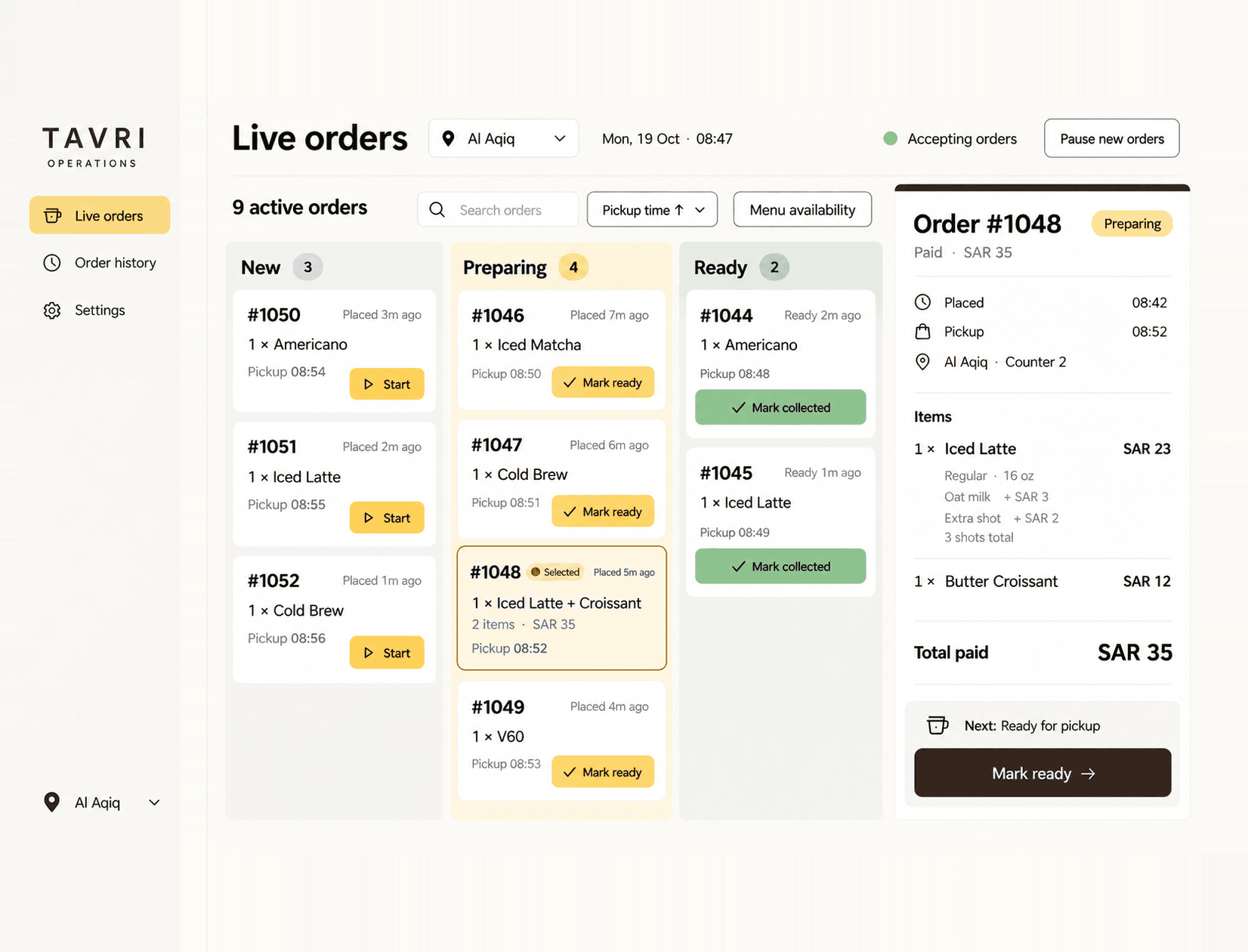
Order and prep queue
Barista team · Tablet
Your team can see which orders are new, in progress or ready, along with the size, milk and extras for each drink. They can make it to order and update its status when it’s ready and when it’s picked up.
The business
Customers configure drinks and identify their order at pickup. Baristas see the selected options in a preparation queue with separate New, Preparing and Ready states.
- The problem
- Drink options need to reach the preparation ticket accurately, while the pickup pass must reflect the order’s actual collection state.
- Why a custom product
- The design links drink customization, the barista ticket and collection without merging preparation with pickup.
Who uses it
Customer
Mobile
Customize a drink and collect the prepared order.
Barista team
Admin
Read customizations and move tickets through preparation.
Website customer
Web
Browse drinks and branches, customize the order and review it before continuing.
Business rules
Ready and collected are different
A Ready ticket remains in the active queue until collection. Preparation alone does not complete pickup.
Follow the order through preparation
Show the selected drink options with each ticket as the order moves from new to preparing and ready for pickup.
Design coverage
Shown in these screens
- Customer app: browse the menu, customize drink options, follow rewards and identify the ready order.
- Customer website: explore the menu and branches, configure an order and access the app download.
- Barista dashboard: read drink options, organize preparation and distinguish ready orders from collected ones.